
If you want to control which AI systems can use your content, you need to do more than just check user-agent strings—you have to verify that crawlers are actually coming from the IP addresses their owners claim to use. Different AI crawlers serve different purposes: some train models while others retrieve content live for real-time answers, and your blocking strategy should reflect which ones matter to your business. Start by auditing your server logs and checking IP ranges against published lists, since spoofed user agents are common and a robots.txt rule alone won't stop determined crawlers.
Verify AI Crawler User Agents: UA List and IP Checks for SEOs, Devs
Among the key tokens covering most AI crawlers seen in server logs are GPTBot, OAI-SearchBot, ChatGPT-User, ClaudeBot, Claude-SearchBot, PerplexityBot, Google-Extended, Applebot-Extended, Bytespider, and CCBot. The priority action isn't reading robots.txt, it's checking your logs and verifying each hit by IP range or forward-confirmed reverse DNS, because the user-agent string on its own is just a claim. Some of these crawlers feed training datasets, others power live retrieval and citations, and the split between the two should drive every policy decision you make next.
***
TL;DR: >- Most AI crawlers, including GPTBot and ClaudeBot, claim to be compliant with robots.txt, but verification requires checking IP ranges and reverse DNS.- Blocking AI crawlers effectively depends on layer-specific controls such as rate limiting, IP verification, and CDN or WAF challenge rules, not solely on user-agent strings.- Crawler behavior varies: retrieval bots like ChatGPT-User generate bursty, low-volume traffic, while training bots like Bytespider can cause high server load and often ignore disallow directives.- Using an up-to-date, verified list of IP ranges and performing FCrDNS checks reduces spoofing risks, but full enforcement needs layered, automated strategies.- Regular log review and a comprehensive audit process, including testing robots.txt and verifying actual crawler landing pages, are essential to maintain effective AI crawler control.
***
Table of Contents
- What are the verified AI crawler user-agent tokens?
- How do you check server logs for AI crawler activity?
- How do you tell a real AI crawler from a spoofed one?
- What robots.txt policy should you run for AI crawlers?
- When does robots.txt stop being enough?
- Should you allow retrieval, block training, or block everything?
- Where do you find current AI crawler data?
- Cited's experience: how we audit and fix crawler visibility problems
- Get a free AI visibility audit from Cited
- Sources
- FAQ
What are the verified AI crawler user-agent tokens?
Each of these tokens shows up in real server logs, and each one carries a different business implication depending on whether it trains models or retrieves content live. The open dataset of AI crawler user agents on GitHub tracks most of these with per-bot compliance notes, and it's worth bookmarking as a live reference rather than trusting any static list forever.
- GPTBot (OpenAI): trains OpenAI's models on public web content. Respects robots.txt directives reliably, and it's the token most site owners think of first when they hear "AI crawler."
- OAI-SearchBot (OpenAI): powers ChatGPT's search and retrieval features rather than training. Compliant with robots.txt, and blocking it removes you from ChatGPT's live search results, not just future training data.
- ChatGPT-User (OpenAI): fires when a user asks ChatGPT to fetch a specific page in real time. This is retrieval on demand, distinct from both GPTBot and OAI-SearchBot, and it tends to generate low, bursty traffic rather than steady crawling.
- ClaudeBot (Anthropic): Anthropic's training crawler. Robots.txt compliance is generally solid, though Anthropic has drawn criticism in the past for aggressive crawl rates on some sites.
- Claude-SearchBot (Anthropic): the retrieval counterpart to ClaudeBot, used when Claude needs to pull current page content to answer a query. Less documented than ClaudeBot, so verification matters more here.
- PerplexityBot (Perplexity): crawls for Perplexity's answer engine and search index. This is the crawler you want indexing your site if AI-driven citations matter to your traffic, since Perplexity leans heavily on live retrieval for its answers.
- Google-Extended (Google): a control token, not a separate crawler, that lets you opt out of Gemini and AI Overviews training without touching Googlebot's regular search indexing.
- Applebot-Extended (Apple): the equivalent control for Apple Intelligence, again separate from the standard Applebot used for Siri and Spotlight search.
- Bytespider (ByteDance): a training crawler with a patchy reputation for robots.txt compliance. Several site owners report it ignoring disallow rules, which makes network-layer blocking more relevant here than for most tokens on this list.
- CCBot (Common Crawl): not an AI company crawler itself, but its dataset feeds a huge share of foundation model training, including models you'll never see a direct crawler from. Treat CCBot as training exposure even though Common Crawl is a nonprofit archive.
The tokens worth watching for spoofing are GPTBot and Googlebot-adjacent strings, since their names are widely known and scrapers borrow them to bypass basic filtering. A user-agent claiming to be GPTBot from an IP outside OpenAI's published ranges is not GPTBot.
How do you check server logs for AI crawler activity?
Pull your raw access logs and filter on the user-agent field first, then cross-reference against the fields that reveal whether traffic behaves like a genuine crawler or something spoofing one. Run this sequence:
- Extract the core fields: timestamp, source IP, user-agent header, requested URL, HTTP status code, response size, and referrer. Most log formats (Nginx combined, Apache combined, CDN edge logs) carry all seven already.
- Group by user-agent string and count requests per day. A crawler doing 50,000 requests a day against a site with 200 pages is either misconfigured or ignoring your crawl-delay preferences.
- Profile path behaviour. Genuine retrieval crawlers tend to hit content pages and sitemaps; unusual activity against admin routes, login forms, or
/wp-json/endpoints is a red flag regardless of what the UA claims to be. - Flag status code patterns. A crawler generating a high rate of 403s suggests it's hitting blocked paths repeatedly rather than respecting your disallow rules; a spike in 5xx responses tied to one UA points to a load problem you'll need to throttle.
- Cross-check against known IP ranges for any UA generating meaningful volume before you decide to allow, throttle, or block it.
Pro Tip: Run your log query for a full seven-day window before drawing conclusions. Crawl patterns from ClaudeBot and PerplexityBot in particular tend to spike in short bursts rather than crawling evenly, so a single day's snapshot will mislead you.
How do you tell a real AI crawler from a spoofed one?
Verify with published IP ranges and forward-confirmed reverse DNS (FCrDNS), never with the user-agent string alone. The MDN documentation on the User-Agent header is explicit that this field is arbitrary text set by the client, not a credential, which means anyone can send "GPTBot" in a request and nothing stops them.

The workflow that closes this gap runs in three steps, as Attrifast's breakdown of spoofed bot detection lays out: take the claimed UA, resolve the source IP against the operator's published CIDR ranges, then run a reverse DNS lookup on that IP and forward-confirm the hostname resolves back to the same address. A PTR record alone proves nothing, since PTR records can be set by anyone controlling reverse DNS for an IP block. FCrDNS closes that gap by requiring the forward lookup to match.
Operators who publish verifiable ranges include:
- OpenAI (covers GPTBot, OAI-SearchBot, ChatGPT-User)
- Google (covers Googlebot and Google-Extended)
- Microsoft (covers Bingbot and Copilot-related crawlers)
- Anthropic (covers ClaudeBot and Claude-SearchBot)
- Perplexity (covers PerplexityBot)
The most common verification error is checking the wrong range file, matching a UA against Googlebot's IPs when the request claims to be Google-Extended, for example, since Google publishes them separately. The second most common error is trusting a UA substring match on its own and skipping the IP check entirely. A layered approach, expressing preference through robots.txt, enforcing access at the server or CDN layer, and reserving full IP and FCrDNS verification for traffic that actually affects performance, is the pattern SitePoint's guide to controlling AI crawlers recommends, and it scales far better than manually verifying every hit.
What robots.txt policy should you run for AI crawlers?
The right policy depends on whether you want training exposure, retrieval visibility, or neither, and robots.txt lets you express all three with the right directive combinations. Brandswarm's 2026 robots.txt guide for AI search sets out three templates that map cleanly onto business decisions:
Policy goal | Directive pattern | Effect |
|---|---|---|
Maximum visibility | Allow all listed AI user agents | Content is eligible for both training and citation across all platforms |
Content-Signal compromise | Allow retrieval UAs (OAI-SearchBot, ChatGPT-User, PerplexityBot); disallow training UAs (GPTBot, ClaudeBot, CCBot, Bytespider) | Citations remain possible; training exposure is blocked |
Block everything except classic search | Disallow all AI UAs; allow Googlebot and Bingbot only | No AI training or retrieval access; standard search indexing continues |
Precedence in robots.txt runs on specificity: a rule targeting a named user-agent overrides a wildcard rule, and within a single user-agent block, the most specific path match wins. Ordering mistakes are a common cause of accidental visibility loss, and testing every change with curl against the live file before relying on it catches most of them early.
You can reinforce robots.txt with a per-page X-Robots-Tag header, and an emerging llms.txt file to describe your content for language models specifically, though neither replaces robots.txt as the primary signal. Remember that robots.txt is a voluntary standard: compliant operators honour it, but nothing stops a non-compliant crawler ignoring it entirely, which is why enforcement ultimately sits at the network layer.
When does robots.txt stop being enough?
Robots.txt stops being enough the moment a crawler ignores it, and Bytespider's inconsistent compliance record makes it the most common trigger for escalation. Once a crawler is generating load that costs you money or degrades performance for real users, move to a progressive enforcement pattern: monitor first, then throttle, then challenge, then block outright, as discussed in Taming the bots balancing AI crawlers with website performance and accuracy – SemLocal.
- Rate limit by IP range or ASN rather than by user-agent string alone, since UA-based rules are trivial to bypass.
- Use CDN or WAF challenge rules (JavaScript challenges, CAPTCHA) sparingly, and exclude verified retrieval crawler ranges from them so you don't accidentally block legitimate citation traffic.
- Escalate to a hard block only after throttling has failed to bring request rates within acceptable bounds.
Pro Tip: If you run Cloudflare, check what robots.txt your origin server actually serves versus what Cloudflare's managed rules present to fetchers. Some CDN features inject or modify robots.txt on the wire, and the mismatch between origin and edge is a common source of policies that "should" be working but aren't.
Should you allow retrieval, block training, or block everything?
The decision splits cleanly along one line: retrieval crawlers determine citation eligibility, training crawlers determine whether your content shapes a model's future outputs. Work through this checklist:
- Assess content sensitivity. Proprietary research, paywalled content, or anything with licensing restrictions points towards blocking training crawlers outright.
- Weigh your revenue model. Sites monetised through direct traffic and ad impressions often lean towards blocking training but keeping retrieval open, since citations can still drive visits.
- Factor in brand discovery. If being cited in ChatGPT or Perplexity answers matters for awareness, retrieval crawlers (OAI-SearchBot, ChatGPT-User, PerplexityBot, Claude-SearchBot) should stay allowed regardless of your training stance.
- Check server cost tolerance. High-volume training crawlers like Bytespider or CCBot can add real infrastructure cost with no visibility benefit in return.
- Log every robots.txt change. Changes only affect future crawls, never retroactively remove content already indexed or trained on, so document what changed and when for future audits.
Where do you find current AI crawler data?
Static lists go stale fast as operators add new tokens, so pull from machine-readable sources on a schedule rather than copying a list once and forgetting it.
- The AI crawler user agents dataset on GitHub publishes JSON and CSV with per-bot robots.txt compliance notes, licensed CC BY 4.0.
- monperrus/crawler-user-agents maintains a broader pattern list covering many crawlers beyond the AI-specific set.
- Pull operator-published CIDR range files directly from OpenAI, Google, Anthropic, and Perplexity on a scheduled basis, and pair that with automated FCrDNS checks in your log pipeline rather than running verification manually.
Cited's experience: how we audit and fix crawler visibility problems
Cited's audits start exactly where this article does: pulling logs, verifying claimed crawler identity against published ranges, and checking whether robots.txt matches what's actually being served at the edge. The gap we see most often is a robots.txt file that looks correct in the repository but doesn't match what Cloudflare or another CDN presents to fetchers, quietly blocking retrieval crawlers the site owner meant to allow. Our methodology covers this verification step alongside the other five dimensions of AI citability we assess, and it's the kind of misconfiguration that a manual robots.txt read never catches. Fixing it is often the single highest-leverage change available before touching schema or content structure at all.
— Tom Heaton
Get a free AI visibility audit from Cited
Fixing crawler access without knowing what's currently broken is guesswork, and that's exactly what Cited's free audit removes. It checks your actual crawler evidence against verified ranges, flags robots.txt issues and precedence mistakes, and surfaces CDN or WAF misconfigurations, including the exact origin-versus-edge mismatch described above.
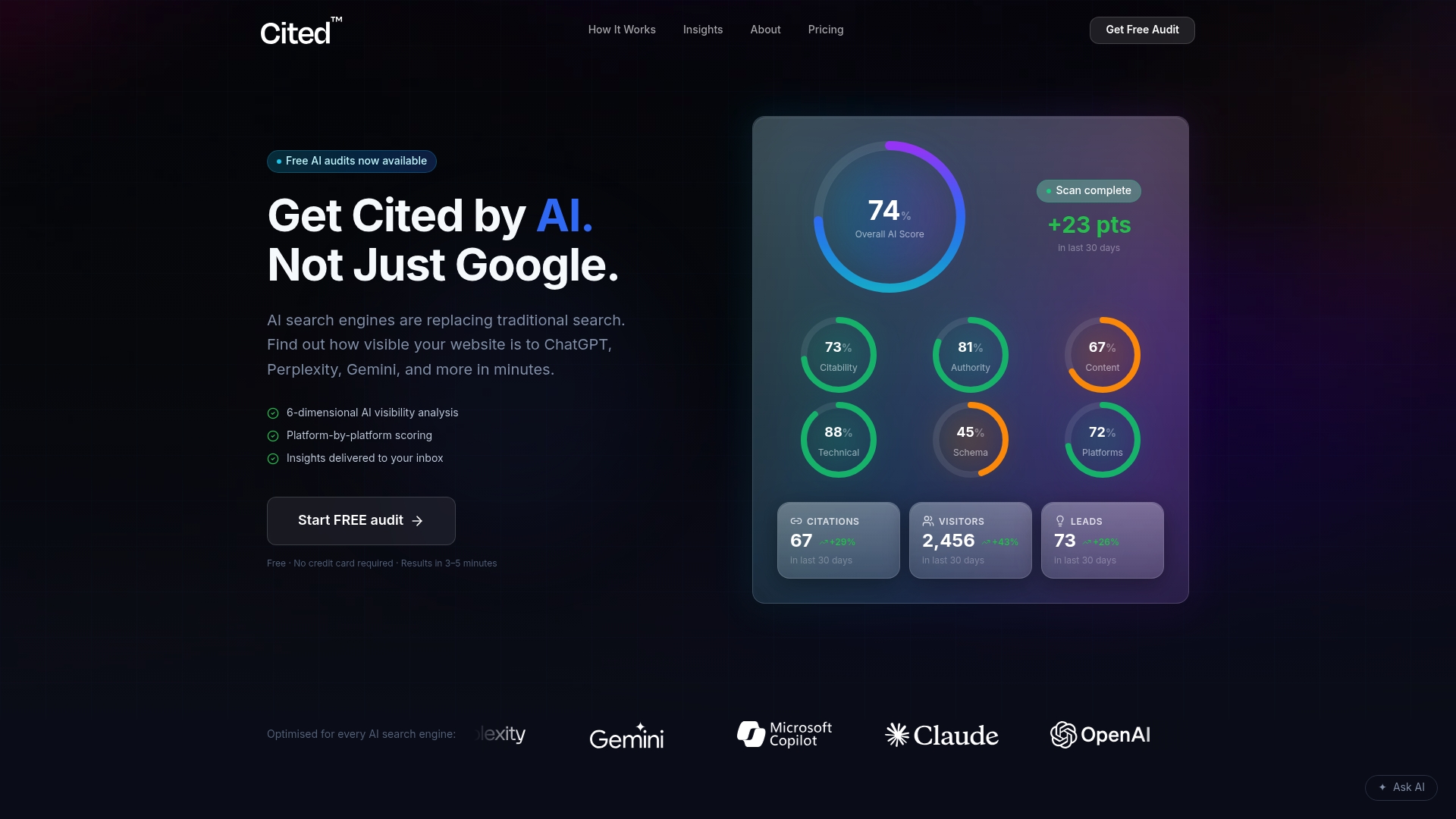
Run the Cited and you'll get a clear report on where GPTBot, PerplexityBot, and the rest of the crawlers this article covers are actually landing on your site, and where they're silently blocked. From there, next steps depend on what the audit finds: Cited offers a one-off Technical Fixes package covering robots.txt and verification corrections, and a monthly subscription for ongoing monitoring and implementation as crawler behaviour and operator policies shift. Larger organisations with multiple properties or custom infrastructure can get a scoped Enterprise quote. Start with the audit, and book a call once you've seen the results.
Sources
- How to control AI crawlers: a practical guide to robots.txt, Nginx and WAF rules | SitePoint
- Open dataset of every known AI crawler user agent (GitHub)
- IETF Robots Exclusion Protocol RFC (authoritative reference)
FAQ
Is GPTBot the same crawler as ChatGPT-User?
No. GPTBot trains OpenAI's models on public content, while ChatGPT-User fires only when a person asks ChatGPT to fetch a specific page live.
Does blocking Google-Extended affect my Google Search ranking?
No. Google-Extended controls only Gemini and AI Overviews training data, and is entirely separate from Googlebot's regular search indexing.
How do I know if a crawler claiming to be PerplexityBot is genuine?
Check the source IP against Perplexity's published range and confirm with forward-confirmed reverse DNS; the user-agent string alone proves nothing.
Can robots.txt actually block Bytespider from crawling my site?
Robots.txt only expresses a preference, and Bytespider has a patchy compliance record, so rate limiting or a CDN block is often needed to enforce it.
What's the fastest way to audit my current AI crawler exposure?
Pull your access logs, filter by known AI user-agent tokens, and verify the top sources by IP range, or run a free audit through Cited to get the same analysis without doing it manually.
Recommended
Ready for your AI score?
See how visible your site is to ChatGPT, Perplexity & Gemini.
Start FREE auditResults in minutes · 100% free