
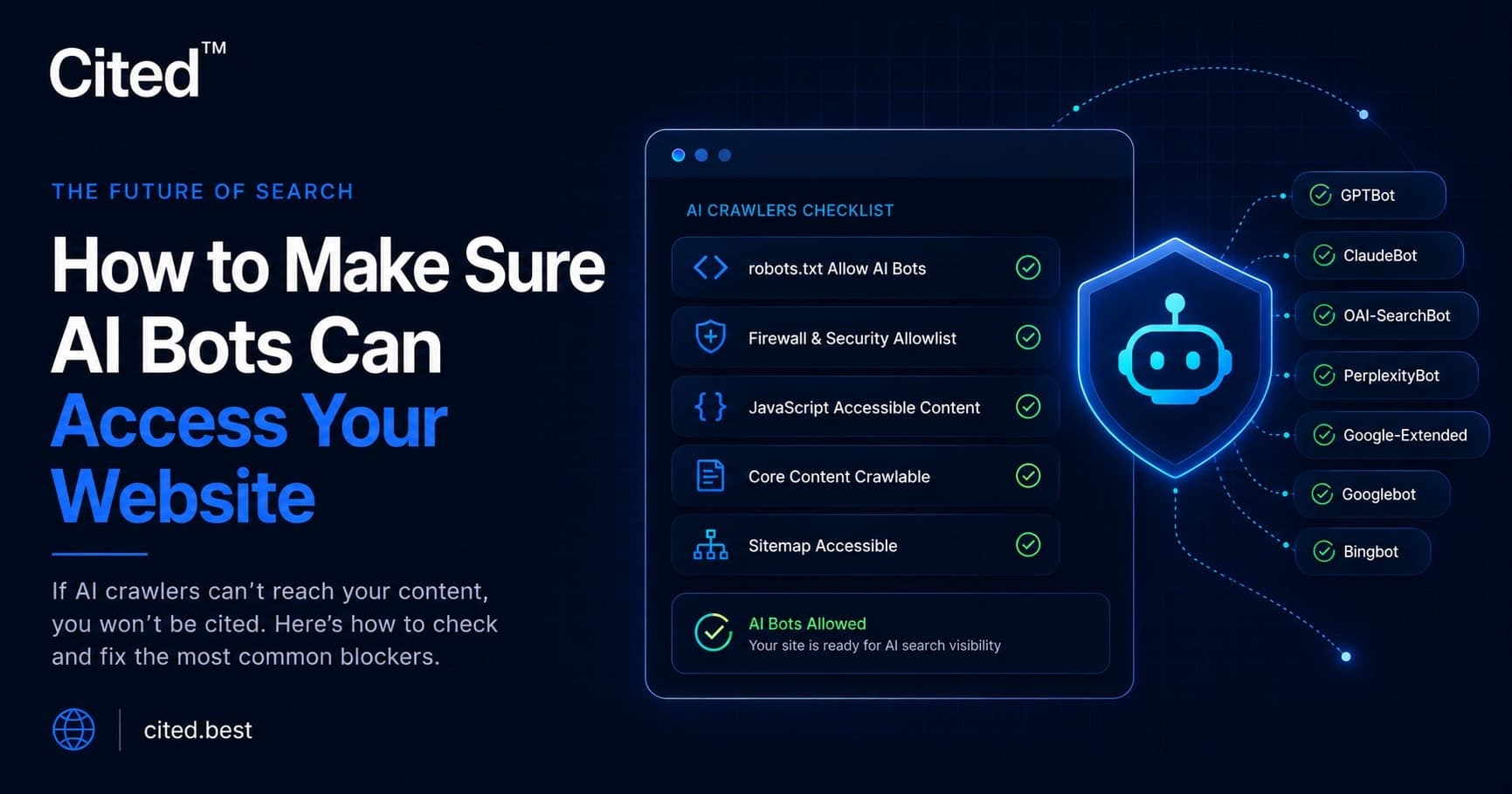
Your website is invisible to AI search engines if any layer of your setup — robots.txt, your firewall, or your JavaScript — blocks their crawlers, and this is one of the most common issues Cited finds in audits. The fix usually takes under an hour: explicitly allow GPTBot, OAI-SearchBot, ClaudeBot, PerplexityBot, Google-Extended and Bingbot in robots.txt, allowlist them in your firewall or security plugin, and make sure your core content renders without JavaScript. If your setup is more complex than that — a custom WAF, a headless front end, or a shared host with locked-down security rules — it's worth getting a specialist to check it properly, because a single misconfigured rule can quietly block every AI engine at once.
In the audits we run at Cited, blocked AI crawlers are one of the most common critical issues we find. A site looks fine in a browser, ranks fine in Google, and still doesn't exist as far as ChatGPT, Claude or Perplexity are concerned. The cause is almost always technical, not editorial — something between the crawler and your content is saying no.
This guide walks through exactly where that "no" comes from, and how to turn it into a "yes." Some of it gets technical, deliberately, because the fixes that work live in configuration files and server headers, not marketing copy.
What Are AI Crawlers, and Why Do They Matter?
AI crawlers are automated bots that AI companies use to read, index or fetch web pages for their models and answer engines. Every major AI platform runs one: OpenAI operates GPTBot and OAI-SearchBot, Anthropic runs ClaudeBot, Perplexity uses PerplexityBot, Google uses Google-Extended alongside its long-standing Googlebot, and Microsoft's Bingbot now also powers Copilot's answers.
Each bot identifies itself with a specific user-agent string in its HTTP request headers, which is how your server, firewall or robots.txt file recognises — and potentially blocks — it. Originality.AI found that 35.7% of the world's top 1,000 websites were blocking GPTBot as of August 2024, up from roughly 5% a year earlier (Source: Originality.AI, 2024). Every one of those sites made itself invisible to ChatGPT's training and, in many setups, its live search results too.
Blocking is rarely deliberate. In our audits, it's almost always a side effect: a security plugin's "block bad bots" toggle, a hosting company's default firewall rule, or a robots.txt file copied from an old template. The bot can't tell the difference between blocked on purpose and blocked by accident — it just stops crawling.
Which AI Crawlers Should I Allow?
Allow GPTBot, OAI-SearchBot, ClaudeBot, PerplexityBot, Google-Extended and Bingbot, alongside Googlebot, unless you have a specific commercial reason to block one. The table below shows what each one does with your content.
User-agent | Company | What it powers | What it feeds |
|---|---|---|---|
GPTBot | OpenAI | ChatGPT model training | Training data for future model versions |
OAI-SearchBot | OpenAI | ChatGPT's live search/citations | Real-time citations shown inside ChatGPT answers |
ClaudeBot | Anthropic | Claude's training and web browsing | Training data plus Claude's live browsing tool |
PerplexityBot | Perplexity | Perplexity's answer engine | Live citations and summaries in Perplexity results |
Google-Extended | Gemini and AI Overviews training | Training data only — does not affect Google Search indexing | |
Googlebot | Google Search indexing | Your entire presence in Google Search and AI Overviews | |
Bingbot | Microsoft | Bing Search and Copilot | Bing's index and Microsoft Copilot's answers |
Blocking Googlebot is fatal — your site disappears from Google Search entirely, AI Overviews included. Blocking any AI-specific bot is critical rather than fatal, but it removes you from an entire generative engine's answers. Google-Extended only controls AI training data, not Search indexing, so allowing it costs nothing in classic search visibility while opening the door to Gemini and AI Overviews citations.
Is My robots.txt File Blocking AI Bots?
Your robots.txt file blocks AI bots if it contains a Disallow: / rule under an AI crawler's user-agent, or a blanket rule that doesn't explicitly allow it. This file sits at yoursite.com/robots.txt and is the first thing any well-behaved crawler checks.
Checking it takes thirty seconds: visit https://yoursite.com/robots.txt and read it line by line, looking for any User-agent block — including a wildcard * — followed by Disallow: /. A single stray rule at the top can override every allowance set further down, because most crawlers apply the first matching block they find.
Here's a copy-paste example that explicitly allows every major AI and search crawler:
User-agent: GPTBot
Allow: /
User-agent: OAI-SearchBot
Allow: /
User-agent: ClaudeBot
Allow: /
User-agent: PerplexityBot
Allow: /
User-agent: Google-Extended
Allow: /
User-agent: Googlebot
Allow: /
User-agent: Bingbot
Allow: /
User-agent: *
Allow: /
Sitemap: https://www.yoursite.com/sitemap.xml
To fix a blocking robots.txt file:
- Download the current file from yoursite.com/robots.txt before changing anything, as a backup.
- Search for Disallow: / under any AI or search bot's user-agent, or the wildcard * block.
- Replace blocking rules with explicit Allow: / entries, as shown above.
- Reference your sitemap at the bottom of the file.
- Re-fetch the file after saving to confirm changes are live and no caching layer is serving an old version.
It's a one-character mistake — a missing Allow, a misplaced * — but it's invisible unless you check from a bot's point of view rather than a browser's.
Why Do Firewalls Block AI Crawlers by Accident?
Firewalls block AI crawlers because default "block bad bots" settings can't distinguish a legitimate AI crawler from a malicious scraper. Cloudflare, and shared-hosting security layers like 20i and StackCP, ship with rules to stop content theft and credential-stuffing — and AI crawlers often get caught in the same net.
Cloudflare's own data shows how decisive this setting has become: 85% of site owners chose to block AI scrapers once given a one-click toggle, and more than one million domains switched it on within months of launch (Source: Cloudflare, 2024). Since 1 July 2025, Cloudflare blocks AI crawlers by default on every newly onboarded domain unless the owner opts in (Source: Cloudflare, 2025). If your site sits behind Cloudflare and you've never touched this setting, AI bots may be turned away before they reach your server.
It isn't always straightforward, either. Cloudflare documented Perplexity's crawler disguising itself as a Chrome browser to dodge blocks aimed at it, leading Cloudflare to delist Perplexity as a verified bot (Source: Cloudflare, 2024). Stricter setups need IP-range verification against the AI company's published ranges, since a user-agent alone can be spoofed.
Allowlisting properly means three things: a bot management rule naming each user-agent with its action set to "Allow"; no rate-limiting rule throttling these bots to near-zero; and, for stricter setups, an IP allowlist from each company's published ranges. On shared hosting panels like 20i or StackCP, this sits under "Security", not the main dashboard — the step our audits most often find untouched since launch.
Why Can't AI Bots Read My JavaScript Website?
AI crawlers cannot read content that only appears after JavaScript runs, because none of the major ones execute JavaScript. Vercel's analysis of its network traffic found GPTBot fetched JavaScript files in just 11.5% of requests and executed none of them, while ClaudeBot fetched JS in 23.84% of requests with the same result (Source: Vercel, 2024). Headings, body copy, links or JSON-LD injected client-side after the page loads simply go unseen.
This matters more than most site owners expect. Modern frameworks — React, Vue, Angular single-page apps — render the visible page in the browser via JavaScript, after the server sends back a near-empty HTML shell. A human's browser fills that shell instantly; GPTBot, ClaudeBot and PerplexityBot receive only the shell, because they read raw HTML and stop there.
The one partial exception is Google's ecosystem: Gemini can lean on Googlebot's rendering infrastructure, which does execute JavaScript before indexing. That's a real gap between how Google's AI sees your site and how every other engine does — not one to rely on as a workaround.
The fix is to serve your core content — text, headings, links and structured data — in the initial HTML response, before JavaScript executes:
- Server-side rendering (SSR), where your framework builds full HTML on the server for every request.
- Static site generation, where pages are pre-built as HTML files at deploy time.
- Prerendering middleware, which detects bot user-agents and serves a fully rendered snapshot while human visitors get the interactive version.
Any of these gets your content in front of AI crawlers. Leaving a client-side-rendered site as-is means every AI engine reads a near-blank page, however good it looks in a browser.
Do I Need a Sitemap, llms.txt and IndexNow?
A sitemap, an llms.txt file and IndexNow all help AI and search engines discover your content faster, and each does a different job. None substitutes for fixing robots.txt, firewall or JavaScript blocks — they only help once a crawler is actually allowed in.
Your sitemap.xml lists every indexable URL with an accurate <lastmod> date, and should be referenced directly from robots.txt. An outdated sitemap misleads crawlers about what's changed, slowing down how quickly new or updated pages get picked up.
llms.txt is a proposed plain-text file, placed at yoursite.com/llms.txt, offering AI models a curated summary of your key pages. Adoption is still niche — only 8.7% of the world's top 1,000 websites had published one as of June 2026 (Source: Rankability, 2026), and 97% of existing llms.txt files receive zero requests from AI crawlers in practice (Source: Ahrefs, 2026). It's a worthwhile low-cost addition, not a substitute for the fundamentals above.
IndexNow is a protocol, supported by Bing and used by Copilot, that lets you notify search engines the moment a page changes rather than waiting to be re-crawled. More than 3.5 billion URLs are submitted through it daily, and 17% of newly clicked Bing URLs were discovered this way as of December 2024 (Source: Bing Webmaster Blog, 2024) — a quick way to push freshness signals straight to Bingbot and Copilot.
How Do I Test Whether AI Bots Can Access My Site?
You can test AI crawler access yourself in minutes by fetching your site as each bot and reading the response. This is the same first check we run at the start of every Cited audit, and it needs nothing more than a terminal.
- Fetch your homepage as a specific bot: curl -A "GPTBot" https://yoursite.com (swap the user-agent for ClaudeBot, PerplexityBot or Googlebot).
- Read the HTTP status code. A 200 means the page was served normally; a 403 or 429 means that bot was actively blocked.
- Check the returned HTML body, not just the status code — an empty 200 page usually points to the JavaScript-rendering problem above.
- View source on a live page (not "inspect element", which shows the rendered DOM) to see the raw HTML a crawler receives.
- Confirm robots.txt and sitemap are reachable with curl https://yoursite.com/robots.txt.
A 403 response confirms something — robots.txt, a WAF rule, or a security plugin — is blocking that bot outright. If the status code is healthy but the HTML body is empty, the problem sits in rendering rather than access rules.
Frequently Asked Questions
Will allowing AI crawlers hurt my website's performance or security? Legitimate AI crawlers identify themselves clearly and crawl at a reasonable rate, so allowing them poses minimal load risk for most small business sites. The bigger risk is the opposite: broad "block all bots" rules that catch AI crawlers alongside genuinely malicious traffic, costing you visibility for no real security benefit.
Does blocking Google-Extended affect my Google Search rankings? No — Google-Extended only controls whether your content trains Gemini and populates AI Overviews, with no effect on Googlebot's indexing or rankings. Allowing it costs nothing in classic search visibility, so we recommend allowing it unless you have a specific reason not to.
How quickly can I fix a blocked robots.txt file? Editing robots.txt to allow AI crawlers typically takes under fifteen minutes once you've found the blocking rule, and changes take effect on your next crawl. The harder part is checking your firewall and JavaScript rendering afterwards, since a fixed robots.txt file won't help if a WAF rule is still blocking bots elsewhere.
Why would my developer's security settings be blocking AI bots without me knowing? Security plugins and firewalls are usually configured once, at launch, using generic "block bad bots" presets that predate the AI crawler boom, and nobody revisits them unless something breaks. This is precisely why Cited's audits check firewall configuration as standard — it sits outside normal SEO or content reviews entirely.
What's the single most common issue Cited finds in AI visibility audits? An over-broad WAF or security-plugin rule blocking AI crawlers by accident is the most frequent critical issue we see, ahead of robots.txt misconfiguration and JavaScript rendering combined. It's also the easiest to miss, because the site looks and functions perfectly for every human visitor.
Where This Gets Complicated
Everything above is a genuine, fixable checklist. In practice, most sites we audit have several of these issues stacked together — a robots.txt file that's fine, sitting behind a Cloudflare rule that isn't, on a front end rendering half its content in JavaScript. Each layer masks the others, leaving a site invisible to two or three AI engines at once.
Checking user-agent rules, WAF configuration, IP verification and rendering behaviour across six crawlers is easy to get wrong from a single robots.txt glance. Cited runs a free AI-visibility audit that tests all of it automatically and flags exactly which bots are blocked and why.
If this is confusing you, why not book a call with Cited and let us sort it properly.
Ready for your AI score?
See how visible your site is to ChatGPT, Perplexity & Gemini.
Start FREE auditResults in minutes · 100% free