

Review schema markup tells search engines about ratings and reviews on your page, making it eligible to display star ratings and review counts directly in search results. The key is to add valid JSON-LD code that exactly matches the review content actually visible to users, including a numerical rating value. Be aware that Google won't show review stars for self-serving reviews on a business's own website—you need to mark up specific products or services instead.
Review schema: the implementation guide for SEO teams

Review schema tells search engines that a page contains review data, and the single most important action you can take right now is to add valid Review or AggregateRating JSON-LD that exactly matches the review content visible on the page. Google states that valid markup makes a page eligible for rich snippets showing star ratings and review counts in search results, though eligibility does not guarantee display.
The absolute minimum to add today:
- A
RevieworAggregateRatingblock in JSON-LD, placed in the<head>or<body>of the page - Review content that is genuinely visible to users on the same page
- A
ratingValueexpressed as a number, withbestRatingandworstRatingdeclared
Who benefits most from implementing structured data for reviews:
- E-commerce teams marking up product pages with
AggregateRatingto trigger star snippets in Google Shopping and organic results - SaaS and service businesses embedding individual
Reviewtypes on case study or testimonial pages - Publishers and comparison sites nesting reviews inside
ProductorServiceitems
The critical eligibility caveat: Google will not show review-rich results for self-serving reviews placed on a LocalBusiness or Organisation page, meaning a restaurant marking up its own testimonials on its own site will not see stars in search results.
Pro Tip: Never add AggregateRating markup to a LocalBusiness page using reviews you collected yourself. Mark up a specific product or service instead, and keep the schema values in sync with the visible rating displayed on that page.
***
Key takeaways
Valid review schema, implemented in JSON-LD with accurate values that match visible page content, is the prerequisite for star snippets in Google Search and a contributing factor to AI citation likelihood.
Point | Details |
|---|---|
JSON-LD is the recommended format | Place it in server-rendered HTML; client-side injection risks being missed by Googlebot. |
Accuracy beats coverage | Schema values must match visible page content exactly; mismatches suppress rich results. |
LocalBusiness self-serving rule | Mark up specific products or services, not the business entity, to avoid the self-serving block. |
Validate before and after deploy | Use the Rich Results Test, Schema Markup Validator, and Search Console Enhancements in sequence. |
Cited audits schema coverage | Cited's free audit checks review markup validity alongside five other AI visibility dimensions. |
***
Table of Contents
- How do search engines use review schema in results?
- What properties does review schema actually require?
- Which format should you use: JSON-LD, Microdata, or RDFa?
- Ready-to-use JSON-LD examples for review markup
- What are Google's rules for review snippet eligibility?
- How do you validate and deploy review schema correctly?
- What errors break review schema, and how do you fix them?
- Does review schema improve AI citation and search visibility?
- Why accuracy matters more than coverage in review schema
- Your next step: a free AI visibility audit from Cited
- Sources
- FAQ
How do search engines use review schema in results?
Search engines parse Review and AggregateRating markup to understand the sentiment, source, and numerical rating associated with a page's content, and they optionally surface that data as star snippets, review counts, and summary information directly in the search results page.
The Schema defines the full vocabulary: properties such as reviewBody, reviewRating, itemReviewed, author, and datePublished give search engines structured signals about who wrote the review, what was reviewed, and when. Without that structure, a search engine must infer review data from unstructured text, which is less reliable and less likely to trigger a rich result.
Which search features draw on review data:
- Rich snippets: Star ratings and review counts shown beneath the page title in organic results, the most common visible output of
AggregateRatingmarkup - Knowledge panels: Product and business panels in Google Search can incorporate rating data when the entity is well-established
- Google Shopping: Product listings pull
AggregateRatingdata to display stars alongside price and availability
The distinction between Review and AggregateRating matters for implementation. A Review represents a single person's assessment, with properties like author, reviewBody, and a reviewRating sub-object. An AggregateRating summarises multiple reviews into a single score, using ratingValue, reviewCount, and ratingCount. You can use both together: nest an AggregateRating inside a Product item and separately list individual Review items to give Google the full picture.
A quick illustration: if your product page shows "4.7 out of 5 based on 312 reviews" and a selection of individual review quotes, your JSON-LD should include both an AggregateRating block reflecting those exact figures and one or more Review blocks matching the quotes shown.
***
What properties does review schema actually require?
The minimal required properties differ between Review and AggregateRating, and getting them wrong is the most common reason markup passes validation but fails to trigger rich results.
For a Review item, Google Search Central's documentation lists these as required or strongly recommended:
Property | Expected type | Notes |
|---|---|---|
| | Must include a |
| | The full text of the review; must match visible content |
| | Sub-object containing |
| | Numeric value is valid, spelled-out numbers are not |
| | Defaults to 5 if omitted, but declaring it explicitly avoids ambiguity |
| | Defaults to 1 if omitted; declare it when your scale differs |
| | ISO 8601 date format e.g., "2025-03-14" |
| Multiple types | The thing being reviewed: |
For AggregateRating, the required properties are ratingValue and either reviewCount or ratingCount. Google treats reviewCount as the number of written reviews and ratingCount as the total number of ratings including those without a written review; both are valid, but the value must match what is visible on the page.
Common pitfalls: setting author.name to a generic string like "Anonymous" or "A customer" often causes the markup to be ignored. Expressing ratingValue as a fraction ("4/5") rather than a decimal ("4.0") can trigger a type error in the Rich Results Test. Omitting itemReviewed entirely is valid for a standalone Review page but required when the review is nested inside another item type.
Pro Tip: Declare bestRating and worstRating explicitly on every Rating sub-object. Google's parser defaults to a 1–5 scale, but if your platform uses a 1–10 scale and you omit these fields, a rating of 8 will appear as a near-perfect score on a 5-point scale in rich results.
***
Which format should you use: JSON-LD, Microdata, or RDFa?
JSON-LD is the right choice for the vast majority of implementations, as demonstrated by Sample Page – The Mindset Motivator. Google recommends it, it keeps markup separate from HTML content, and it is far easier to maintain and debug than inline alternatives.
- JSON-LD: Placed in a
<script type="application/ld+json">tag in the<head>or<body>. No changes to HTML structure required. Easy to generate dynamically from a CMS or database. The format Google explicitly recommends in its review snippet documentation. - Microdata: Embedded directly in HTML using
itemscope,itemtype, anditempropattributes. Tightly coupled to your template, which makes updates error-prone. Useful when a CMS forces inline annotation and JSON-LD injection is not possible. - RDFa: Similar to Microdata in that it annotates HTML elements directly. Rarely the right choice for new implementations; most commonly encountered on legacy publishing platforms.
The most common mistake with JSON-LD is injecting it via client-side JavaScript after the initial page load. Googlebot can render JavaScript, but there is a processing delay, and markup that only appears after a JS event fires is less reliably indexed than markup present in the initial HTML response. Place your JSON-LD in the server-rendered HTML wherever possible.
Pro Tip: If your site uses a JavaScript framework such as Next.js or Nuxt, use server-side rendering or static generation to ensure the <script type="application/ld+json"> block is present in the HTML returned to the crawler, not injected after hydration.
***
Ready-to-use JSON-LD examples for review markup
The three patterns below cover the most common implementation scenarios. Replace placeholder values before deploying, then validate with the Rich Results Test.
Simple standalone review
```json
{
"@context": "https://schema.org",
"@type": "Review",
"itemReviewed": {
"@type": "Product",
"name": "Wireless Noise-Cancelling Headphones"
},
"author": {
"@type": "Person",
"name": "Sarah Mitchell"
},
"datePublished": "2025-03-14",
"reviewBody": "Excellent sound quality and comfortable for long sessions. Battery life exceeded expectations.",
"reviewRating": {
"@type": "Rating",
"ratingValue": "4.8",
"bestRating": "5",
"worstRating": "1"
}
}
```
Replace name under itemReviewed with your product name, author.name with the reviewer's real name, and reviewBody with the text shown on the page. The datePublished must match the date displayed to users.
Nested review inside a Product item
```json
{
"@context": "https://schema.org",
"@type": "Product",
"name": "Wireless Noise-Cancelling Headphones",
"aggregateRating": {
"@type": "AggregateRating",
"ratingValue": "4.6",
"reviewCount": "248",
"bestRating": "5",
"worstRating": "1"
},
"review": [
{
"@type": "Review",
"author": {
"@type": "Person",
"name": "Sarah Mitchell"
},
"datePublished": "2025-03-14",
"reviewBody": "Excellent sound quality and comfortable for long sessions.",
"reviewRating": {
"@type": "Rating",
"ratingValue": "5",
"bestRating": "5",
"worstRating": "1"
}
}
]
}
```
This pattern, nesting AggregateRating and one or more Review items inside a Product, is the most reliable way to trigger star snippets in organic results. The reviewCount value of 248 must match the count shown on the page exactly.
Standalone AggregateRating
```json
{
"@context": "https://schema.org",
"@type": "AggregateRating",
"itemReviewed": {
"@type": "Service",
"name": "Monthly SEO Retainer"
},
"ratingValue": "4.9",
"reviewCount": "87",
"bestRating": "5",
"worstRating": "1"
}
```
Use this pattern for service pages where you display an aggregate score but not individual review text. For teams using Google Reviews as the data source, North Labs' practical guide explains how the Places API can keep ratingValue and reviewCount current automatically, which eliminates the most common cause of mismatched schema.
Place the <script type="application/ld+json"> block in the <head> of the page. If your CMS injects it into the <body>, that is also valid, but keep it above the closing </body> tag and ensure it is present in the server-rendered HTML.
Pro Tip: Keep a single source of truth for your rating data. If your CMS stores the aggregate rating in a database field, generate the JSON-LD from that same field rather than hard-coding values. Hard-coded schema drifts out of sync with visible content as reviews accumulate, which is one of the most common reasons Google ignores otherwise valid markup.
***
What are Google's rules for review snippet eligibility?
Google's eligibility rules for review-rich results are specific, and violating them means your markup will be valid but invisible in search results.
The core rules, drawn from Google Search Central's review snippet documentation:
- The review content must be visible on the page. Markup that describes reviews not shown to users will be ignored.
- The
ratingValueandreviewCountin the schema must match the values displayed on the page. - Reviews must be about a specific item: a
Product,Book,Movie,Recipe,Course,Event, orService. Generic page-level ratings are not eligible. - The page must not be the primary subject of the review. A business reviewing itself is self-serving.
The self-serving rule deserves particular attention. BrightLocal's analysis confirms that Google does not show review-rich results for LocalBusiness or Organisation pages where the business has marked up its own testimonials. A plumber's website adding AggregateRating to its homepage will not see stars in search results, regardless of how technically correct the markup is. The recommended workaround is to mark up specific services or products offered by the business rather than the business entity itself.
Additional disallowed practices:
- Fake or incentivised reviews: Markup that represents reviews obtained through payment or incentives violates both Google's policies and the UK's Consumer Protection from Unfair Trading Regulations 2008.
- Hidden reviews: Reviews that are not visible in the page's rendered HTML, even if technically present in the DOM.
- Mismatched counts: An
AggregateRatingshowing 500 reviews when the page displays 12 is treated as manipulative. - Reviews from third-party platforms embedded without attribution: Displaying Google or Trustpilot reviews via schema without using the correct API and attribution can breach those platforms' terms of service.
Pro Tip: If you run a service business and want star snippets, create dedicated service pages (e.g., "Boiler Installation Service") with genuine customer reviews displayed on each page, then mark up those pages with Service schema containing AggregateRating. This satisfies Google's eligibility rules and avoids the LocalBusiness self-serving block.
***
How do you validate and deploy review schema correctly?
Deploy review schema in this order: validate locally, deploy to a staging environment, spot-check live pages, then monitor Search Console for errors over the following weeks.
Step-by-step rollout checklist:
- Paste your JSON-LD into the Rich Results Test and confirm it detects a valid
RevieworAggregateRatingitem with no errors. - Run the same markup through the Schema Markup Validator to catch type errors and missing properties that the Rich Results Test may not flag.
- Deploy to staging and use the Rich Results Test's URL fetch mode to confirm the markup is present in the server-rendered HTML, not injected after page load.
- Deploy to production and submit the updated URLs for indexing via Google Search Console's URL Inspection tool.
- Check the Enhancements section of Google Search Console after 48–72 hours for any errors or warnings against your
RevieworAggregateRatingitems. - Set a recurring monthly audit to catch drift between schema values and visible content, particularly on pages where review counts update automatically.
Tool reference for ongoing monitoring:
- Rich Results Test: Validates a single URL or code snippet; best for pre-deploy checks and debugging specific pages.
- Schema Markup Validator: Broader schema validation against the full Schema.org vocabulary; catches errors Google's tool may not surface.
- Google Search Console (Enhancements): Site-wide view of schema errors, warnings, and valid items; the primary monitoring tool post-deploy. Podium Design's schema guide recommends checking this report after every significant deploy.
- URL Inspection Tool: Confirms what Googlebot actually sees when it crawls a specific page, including whether the JSON-LD block is present in the rendered HTML.
Pro Tip: After deploying schema changes across a large site, filter the Search Console Enhancements report by "Review snippet" and sort by error count. Fix the highest-volume errors first; a single template error often affects thousands of pages simultaneously.
***
What errors break review schema, and how do you fix them?
The errors that most frequently block rich snippets fall into four categories: missing required properties, mismatched values, wrong data types, and client-side-only injection.

Missing reviewRating on a Review item is the single most common error. Every Review must include a reviewRating sub-object with a numeric ratingValue. The fix:
```json
"reviewRating": {
"@type": "Rating",
"ratingValue": "4",
"bestRating": "5",
"worstRating": "1"
}
```
Mismatched reviewCount: The schema says 150 reviews; the page shows 12. Google treats this as inaccurate and suppresses the rich result. Fix: generate reviewCount dynamically from the same data source that renders the visible count.
Wrong data type for ratingValue: Passing an integer 4 instead of a string "4" or a fraction "4/5" instead of a decimal "4.0" causes type errors. Always express ratings as numeric strings in decimal format.
Client-side JSON-LD injection: The markup only appears after a JavaScript event fires, so Googlebot's initial crawl misses it. Fix: move the <script type="application/ld+json"> block into the server-rendered HTML.
Before and after for a common type error:
Error state | Fixed state |
|---|---|
| |
| |
| |
| |
Debugging steps when Search Console rejects markup:
- Copy the exact HTML source of the live page (not the rendered DOM) and paste it into the Rich Results Test.
- Check whether the JSON-LD block appears in the raw source. If it does not, the markup is being injected client-side.
- Look for the specific error message in the Rich Results Test output. "Missing field 'author'" and "Invalid type for field 'ratingValue'" point to different fixes.
- Cross-reference the schema values against the visible page content. Any numerical mismatch is a policy violation, not just a technical error.
- After fixing, re-submit the URL via the URL Inspection tool and request re-indexing.
Pro Tip: Use the Rich Results Test's "Code Snippet" mode to test your JSON-LD in isolation before embedding it in a page. This separates schema errors from rendering errors and speeds up debugging significantly.
***
Does review schema improve AI citation and search visibility?
The evidence supports a clear but bounded claim: valid review schema improves eligibility for rich snippets, which tends to increase click-through rates on pages where stars appear, but schema alone does not cause ranking improvements or guarantee AI citation.
Google's documentation is explicit that valid markup makes a page eligible for rich results, not that it will receive them. Display depends on query context, competition, and other ranking factors. The practical implication for SEO teams is that schema is a necessary condition for star snippets, not a sufficient one.
On the AI citation side, schema markup's relationship to AI citation likelihood is an emerging area. Structured data helps AI search engines such as ChatGPT, Perplexity, and Gemini parse and attribute content accurately, which is a prerequisite for citation. Schema does not directly cause citation, but pages with well-structured data are more parseable and therefore more likely to be used as a source.
The Schema.org Usage Statistics dataset, compiled from Google's crawling infrastructure and updated monthly, gives teams a reliable signal of which schema terms are most widely adopted. The dataset's launch was announced in collaboration with Google, and the domain-level adoption figures help prioritise which schema types to implement first. AggregateRating and Review consistently appear among the higher-adoption types, which reflects both their direct SEO value and the relative maturity of e-commerce schema adoption.
Practical interpretation for SEO teams:
- Schema is most valuable on product and service pages where star snippets directly influence purchase decisions.
- On informational pages, schema contributes to structured data coverage but is less likely to produce visible rich results.
- For AI-first content optimisation, schema is one of six dimensions that determine how well a page is parsed and cited by AI engines.
Run a free AI visibility audit at cited.best to see where your schema coverage sits across all six dimensions, including review markup.
***
Why accuracy matters more than coverage in review schema
An editorial perspective from Tom Heaton
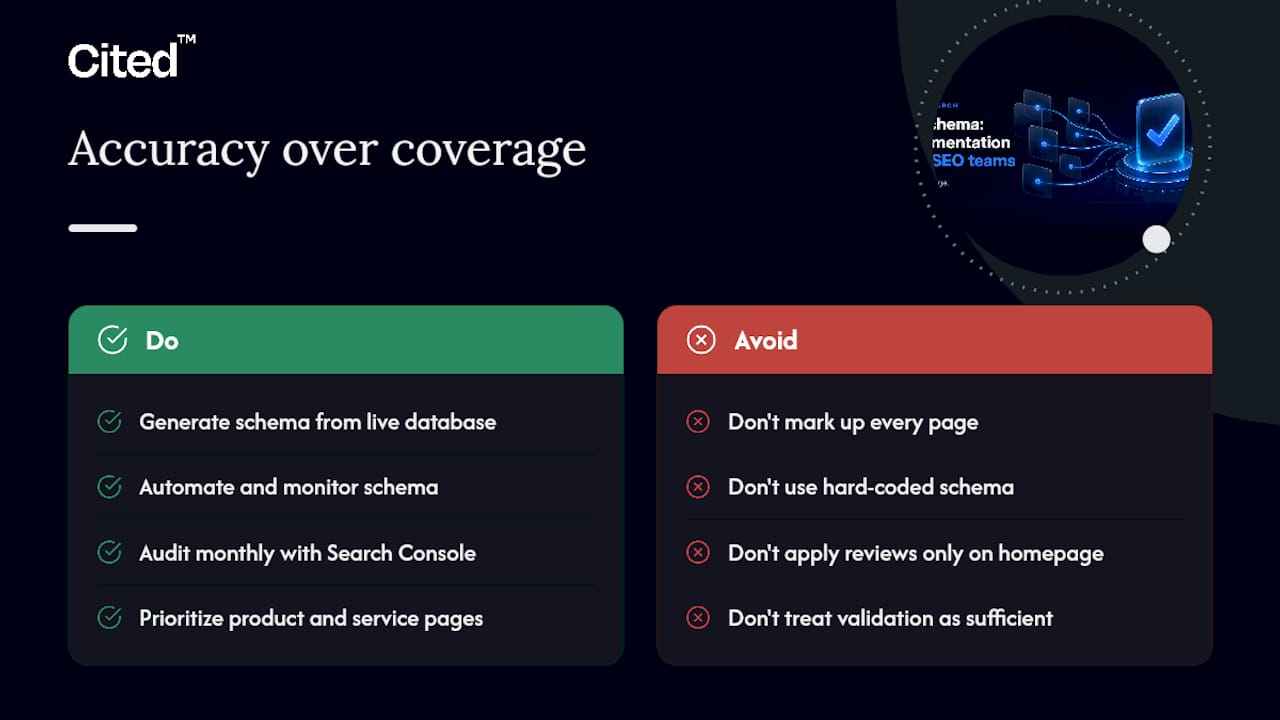
The most common mistake SEO teams make with review schema is treating it as a coverage exercise: add markup to every page, validate it passes the Rich Results Test, and move on. That approach misses the point entirely.
Google's eligibility rules are not primarily technical. They are accuracy rules. A page with perfect JSON-LD syntax but a reviewCount that does not match the visible page content will be suppressed just as reliably as a page with a missing property. The schema must be a faithful representation of what users see, updated in real time as reviews accumulate. For most teams, that means generating schema dynamically from the same database that powers the visible review display, not maintaining a separate hard-coded block.
The self-serving LocalBusiness rule catches more teams than any technical error. Businesses spend time implementing technically correct markup on their homepage or about page, then wonder why stars never appear. The answer is in Google's policy, not the code. Redirecting that effort toward specific product or service pages, with genuine customer reviews displayed on each, produces results where the homepage implementation never would.
For enterprise teams, the priority is automation and monitoring, not initial implementation. Getting schema live is straightforward; keeping it accurate across thousands of pages as review counts change is the hard part. A monthly audit cadence using Search Console's Enhancements report, combined with automated schema generation from live data, is the only sustainable approach at scale.
Small teams should focus on the pages closest to conversion: product pages, service pages, and any page where a star snippet would directly influence a click. Those pages deliver the clearest return on implementation time.
***
Your next step: a free AI visibility audit from Cited
Schema markup is one of six dimensions Cited measures in its free AI visibility audit. The audit checks whether your review markup is valid, whether it matches visible content, and whether your pages are structured in a way that AI search engines can parse and cite accurately.
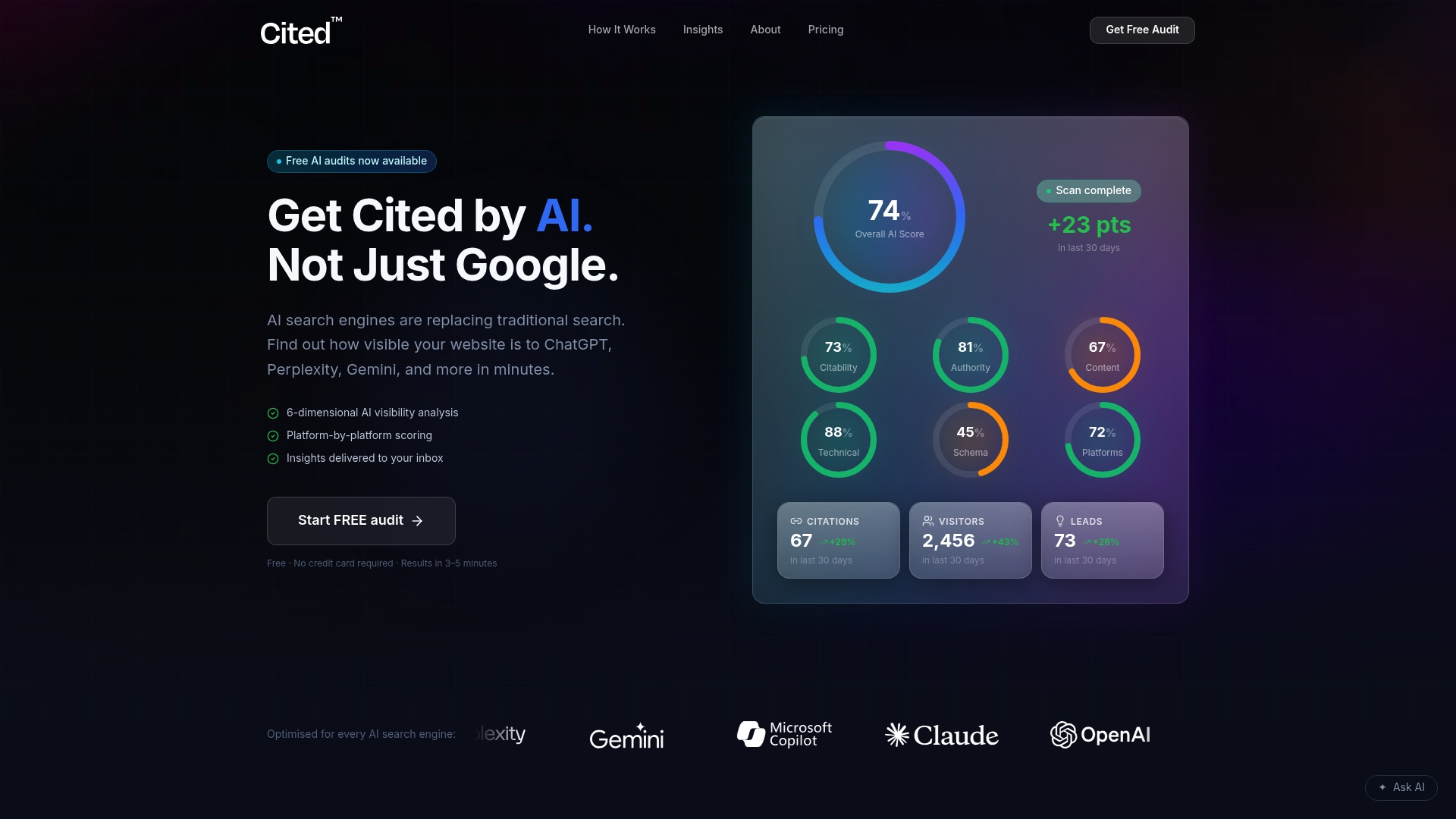
Cited's audit covers technical health, schema coverage, authority signals, and platform visibility across ChatGPT, Perplexity, Gemini, Claude, and Copilot. If the audit finds gaps, Cited offers a one-off Technical Fixes package at £495 or an ongoing AI Optimised subscription at £995 per month for teams that want continuous implementation support. Cited or book a call to discuss what implementation support looks like for your site.
***
Sources
- Review Snippet (Review, AggregateRating) Structured Data | Google Search Central | Documentation | Google for Developers
- Schema
- Can local businesses use review schema? Google’s rules explained - BrightLocal
- New Dataset Reveals Trends in Schema.org Data Usage
***
FAQ
What is review schema used for?
Review schema is structured data markup that tells search engines a page contains review content. Google uses it to determine eligibility for rich snippets showing star ratings and review counts in search results.
How do you create a review schema in JSON-LD?
Add a <script type="application/ld+json"> block to your page containing a Review or AggregateRating object with the required properties: author, reviewRating (including ratingValue, bestRating, and worstRating), and itemReviewed. Values must match what is visible on the page.
What is the difference between Review and AggregateRating schema?
Review represents a single person's assessment of an item, including their written text and individual rating. AggregateRating summarises multiple reviews into one score using ratingValue and reviewCount. Both can be nested inside a Product or Service item for maximum eligibility.
Can a local business use review schema to get stars in Google?
Not for self-serving reviews on its own LocalBusiness page. Google's policy, as explained by BrightLocal, excludes self-serving review-rich results for LocalBusiness and Organisation types. The workaround is to mark up specific services or products the business offers.
What is the structure of a review in schema.org?
A Review on Schema.org requires at minimum an author (a Person or Organization with a name), a reviewRating sub-object with a numeric ratingValue, and an itemReviewed property identifying what was reviewed. Optional but recommended properties include reviewBody, datePublished, bestRating, and worstRating.
Recommended
Ready for your AI score?
See how visible your site is to ChatGPT, Perplexity & Gemini.
Start FREE auditResults in minutes · 100% free