
Article schema tells search engines and AI systems who wrote your page, when it was published, and what it looks like—which helps your content appear in rich results and get properly cited by AI. The four most important fields are headline (matching your visible H1), publication date, author, and an image at least 1,200 pixels wide. Getting these right handles most of the work; the key is keeping your headline field synced with your H1 to prevent drift after future edits.
Article schema for site owners: a practical guide
Article schema is structured data that tells search engines and AI crawlers a page is an article, and it supplies machine-readable metadata used for rich results and AI citation. Get four fields right and most of the work is done.
Before anything else, check your markup contains these:
- Headline, matching your visible H1 exactly
- datePublished, in ISO 8601 format
- Author, ideally a Person object, not a plain string
- Image, as an ImageObject at least 1200 pixels wide
Validate this on the live production URL, not staging, and update dateModified whenever you materially rewrite a section. Google's structured data policies name headline mismatches and undersized images as two of the most common reasons rich results disappear.
Pro Tip: Copy your headline field directly from the same CMS variable that renders your H1. Two separate text boxes for the "same" headline is how drift creeps in after an edit six months later.
Key takeaways
Article schema works because it gives search engines and AI systems consistent, machine-readable proof of who wrote a page, when, and what it depicts.
Point | Details |
|---|---|
Four fields come first | Headline, datePublished, author and image are the fields Google checks before anything else. |
Match headline to H1 | Keep the JSON-LD headline identical to the visible H1 to avoid drift after edits. |
Author needs structure | Use a Person object with a name and url, never a plain text string. |
Image size is non-negotiable | Images must be at least 1,200 pixels wide to qualify for rich results. |
Cited audits schema for free | Cited's free AI visibility audit flags schema gaps and offers Technical Fixes or managed AI Optimised implementation to fix them. |
Table of Contents
- What is article schema and when should you use it?
- Should you use Article, NewsArticle or BlogPosting?
- Which properties does Google actually require?
- What does a working JSON-LD example look like?
- Where should you place the markup, and how do you handle images?
- What mistakes cause rich results to disappear?
- How do you test and validate article schema?
- How does article schema support AI citation?
- Where should teams focus their schema effort first?
- How can Cited help you fix schema issues fast?
- Sources
- FAQ
What is article schema and when should you use it?
Article schema is a vocabulary from Schema.org that marks a page as editorial content, structured so that search engines and AI systems can read its headline, author, publication date and image without guessing. It sits inside a <script type="application/ld+json"> block, and it turns a page that machines see as an undifferentiated wall of text into a page with clearly labelled parts.
The Schema covers a wide range of use cases: evergreen how-to guides, editorial features, blog posts, tutorials and news reporting all qualify. If you are unsure which subtype to use, Article is the safe general-purpose choice. It works for almost any long-form content that has a clear author and publication date.
Article schema also builds trust signals by connecting three things together:
- The publisher (your organisation, with a name and logo)
- The author (a named person or organisation behind the piece)
- The image (a representative visual, correctly sized)
Google Search Central and Schema.org are the two authoritative references here. Google decides what to reward with rich results; Schema.org defines the vocabulary itself. Treat them as your primary sources, not third-party summaries.
Should you use Article, NewsArticle or BlogPosting?
Pick the type that matches your editorial intent. Use NewsArticle for time-sensitive reporting, BlogPosting for blog-style commentary, and Article for general editorial or evergreen guides. The choice affects which features you can qualify for downstream.
- NewsArticle: reporting on current events, press releases, breaking coverage. Signals eligibility for Google's news-specific features and Top Stories carousels.
- BlogPosting: opinion pieces, personal commentary, informal blog content published on a regular cadence.
- Article: long-form guides, tutorials, reference content, lab reports, anything without a strong "news" or "blog" character.
A few edge cases worth knowing. A coding tutorial can use the more specific TechArticle subtype if your CMS supports it, though plain Article still works fine. A scientific write-up or lab report usually stays as Article unless you are publishing through a journal platform with its own schema requirements.
If you genuinely cannot decide, default to Article. It carries no downside for long-form or evergreen content, and it avoids the risk of miscategorising a piece as news when it isn't time-sensitive, which can look inconsistent to both Google and AI crawlers parsing your site.
Which properties does Google actually require?
The four fields with the biggest impact on rich result eligibility are headline, datePublished, author and image. Add dateModified and publisher for freshness signals and credibility, even though Google doesn't strictly require them for basic eligibility.
Here's what each field needs to look like in practice:
Property | Requirement |
|---|---|
headline | Must match the visible H1 exactly |
datePublished | ISO 8601 format, e.g. |
author | Person or Organisation object with a |
image | ImageObject with explicit |
dateModified | ISO 8601, updated whenever content materially changes |
publisher | Organisation with a |
Beyond those six, Schema.org lists several recommended fields worth including where you can: description, mainEntityOfPage (pointing to the canonical URL), articleSection, wordCount, inLanguage and keywords. None of these are make-or-break, but they add depth to how machines parse the page.
Author markup deserves particular care. Prefer a full Person object with name and url pointing to an author bio page, rather than a plain string. Keep the name field strictly the person's name, no job titles or department names bolted on. If you need to specify a role, use separate jobTitle and worksFor properties instead of cramming everything into name.
Pro Tip: If your CMS supports multiple authors, list each as a separate object in an array rather than concatenating names into a single string like "Jane Smith and Tom Doyle". Parsers read the concatenated version as one malformed name, not two people.
What does a working JSON-LD example look like?
Include a single JSON-LD script block. Use @graph when you need multiple related entities on one page (Article, BreadcrumbList, Person), or a single Article block when the page is simple. Consolidating everything into one graph avoids parsers seeing conflicting fragments from separate scripts.
Here's a full example for a typical long-form guide:
```
<script type="application/ld+json">
{
"@context": "https://schema.org",
"@type": "Article",
"@id": "https://example.com/guide-to-x#article",
"headline": "A Complete Guide to X",
"datePublished": "2026-01-10T09:00:00+00:00",
"dateModified": "2026-03-02T14:30:00+00:00",
"author": {
"@type": "Person",
"name": "Jane Smith",
"url": "https://example.com/authors/jane-smith"
},
"publisher": {
"@type": "Organization",
"name": "Example Publications",
"logo": {
"@type": "ImageObject",
"url": "https://example.com/logo.png",
"width": 600,
"height": 60
}
},
"image": {
"@type": "ImageObject",
"url": "https://example.com/images/guide-to-x.jpg",
"width": 1600,
"height": 900
},
"mainEntityOfPage": {
"@type": "WebPage",
"@id": "https://example.com/guide-to-x"
},
"inLanguage": "en-GB"
}
</script>
```
To adapt this for your own site, replace the canonical URL in @id and mainEntityOfPage, swap the author's url for your actual bio page, point image.url at your real hosted image, and update both timestamps. Keep headline word-for-word identical to your visible H1, character for character.
Google accepts microdata and RDFa as alternatives, but JSON-LD is the recommended format because it sits cleanly in one block without threading attributes through your HTML. If you inherited a microdata implementation, check that every itemprop attribute actually matches the visible element it's attached to. Mismatches here are harder to spot than JSON-LD errors because there's no single block to inspect.
Where should you place the markup, and how do you handle images?
Render JSON-LD server-side, either in the page <head> or immediately after the opening <body> tag. Keep one authoritative script per page wherever possible; two plugins each outputting their own Article block is a common cause of conflicting data.
- Build a template that pulls headline, date, author and image from the same CMS fields that render your visible content, never a separate duplicate entry.
- Add a continuous integration check that renders a sample page and confirms the JSON-LD block is present and parses without errors before deployment.
- Spot-check the live URL after every deploy, not just staging, since some caching layers strip or alter script tags.
On WordPress, most SEO plugins will output Article schema automatically, but running two structured-data plugins at once often produces duplicate or conflicting blocks. Audit your <head> output and disable the redundant one. On headless setups and static site generators, build the JSON-LD generation into your content model directly rather than bolting it on as a post-build script, so it can't silently fall out of sync with a template change.
For images specifically, run through this checklist:
- Use the primary image that actually appears on the page, not a placeholder or fallback graphic.
- Serve it via an absolute
https://URL; relative paths will fail to resolve for crawlers. - Confirm the file meets Google's size guidance of at least 1,200 pixels wide.
- Check the image isn't blocked by robots.txt or served with an incorrect content type header, which prevents crawlers from fetching it even if the URL itself is valid.
Pro Tip: If your image CDN generates multiple sizes automatically, hard-code the URL of the largest variant into your schema, don't rely on the same responsive srcset logic you use for the visible <img> tag. Schema parsers read one URL, not a set.
What mistakes cause rich results to disappear?
The most common causes of lost eligibility are a missing or undersized image, a headline mismatch, an invalid date format, or conflicting JSON-LD blocks on the same page. Most of these are fixable in minutes once you know what you're looking for.
- Headline drift: the JSON-LD headline and the visible H1 diverge after an editorial rewrite. Google cross-validates structured data against visible page content, so a mismatch here can cost you the rich result entirely.
- Multiple schema producers: two plugins, or a plugin plus a manually added script, both outputting Article data for the same page.
- Stale dateModified: content gets substantially rewritten but the timestamp never updates, understating freshness to both search engines and AI systems.
- Author as a plain string: "By Jane Smith" as raw text instead of a structured Person object with a
nameproperty. - Missing publisher logo: a common blocker for Top Stories eligibility specifically, since Google checks for a valid logo ImageObject on the publisher.
Google's structured data guidance is explicit that headline drift, where the on-page H1 and the JSON-LD headline diverge after an edit, is a common and avoidable cause of eligibility loss. The fix is to source both fields from the same CMS field and update dateModified whenever the content changes.
The fastest way to prevent all five is structural: tie every schema field to the exact same CMS source as the visible content, centralise your publisher object into a single reusable snippet across templates, and add a schema check to your pre-publish QA checklist rather than treating it as a one-off setup task.
How do you test and validate article schema?
Validate on production using Google's Rich Results Test and Schema.org's own vocabulary reference to confirm property names, then monitor Search Console's enhancement reports for parsing errors after deployment.
Four tools cover most of what you need:
- Rich Results Test: checks whether your page qualifies for specific Google rich result features and flags missing required fields.
- Schema Markup Validator: checks general schema.org syntax validity, useful for types Google doesn't have a dedicated rich result for.
- View page source: a manual sanity check to confirm the rendered HTML actually contains the script block you expect, particularly after a CMS or plugin update.
- Search Console Enhancements reports: shows sitewide structured data health and flags new errors as they appear, days or weeks after you might otherwise notice.
A simple validation workflow:
- Check the markup on staging before merging, using the Rich Results Test against a preview URL.
- Spot-check a sample of live URLs immediately after deploy, not just the one you edited.
- Run a periodic sitewide sample, monthly for high-traffic sites, to catch regressions introduced by unrelated template changes.
- Set up Search Console alerts so structured data issues surface automatically rather than requiring a manual check.
How does article schema support AI citation?
Article schema acts as baseline entity data that AI systems use when they parse and attribute content. As AI search tools like ChatGPT, Perplexity and Gemini crawl the web, they lean on structured signals to work out who wrote something, when, and what organisation stands behind it, and Article schema is often the clearest signal available on a given page.
Schema.org's usage statistics dataset, published jointly with Google, tracks adoption of types and properties at the domain level across the public web, giving teams a benchmark for which schema to prioritise. GOV.UK treats Article schema as a baseline fallback across its entire publishing platform, a useful real-world example of a large, consistent implementation done at scale.
A few checks specifically improve your odds of being cited by AI systems, on top of everything covered above:
- Set a stable
@idtied to your canonical URL, so the same entity is recognised consistently across crawls. - Use Person author objects with a
sameAslink to a verifiable profile (LinkedIn, a personal site) rather than a name alone. - Give your publisher Organisation a
sameAslink and a proper logo, not just a name string. - Keep headline and date consistent between the visible page and the markup, every single time.
Schema markup's role in AI citation has shifted over the past couple of years, from something you added purely to earn a visual rich result snippet, to something closer to a machine-readable entity graph that AI systems reference when deciding what to trust and cite. If you want a clearer picture of where your own site stands right now, Cited's free AI visibility audit checks this alongside five other dimensions of AI citability.
Pro Tip: If you publish in more than one language, set inLanguage on the Article object using the correct BCP 47 tag (en-GB, fr-FR) and make sure it matches the lang attribute on your <html> tag. A mismatch here is a small thing that quietly undermines the credibility of the rest of your markup.
Where should teams focus their schema effort first?
Fix headline, image, date and author consistency first. Centralise publisher output next. Then scale with reusable templates and automated testing, roughly in that order.
- Headline, image, date, author consistency: this is the highest-leverage fix because it's the most common cause of eligibility loss and the cheapest to remediate.
- Author Person objects and author pages: build proper bio pages if you don't have them, they're doing more work than most teams assume.
- Publisher Organisation and logo: a five-minute fix that unlocks Top Stories eligibility for news content.
- Testing and monitoring automation: the last priority, not because it matters less, but because it protects work you've already done rather than fixing anything new.
The recurring failure I see isn't complexity, it's drift: two plugins quietly both writing Article schema, or a headline edited in the CMS without anyone touching the corresponding JSON-LD field. Multilingual sites face this doubly, since a missing or mismatched inLanguage tag on translated pages is easy to overlook until you're auditing dozens of URLs at once.
How can Cited help you fix schema issues fast?
Cited runs a free AI visibility audit that flags exactly these schema gaps, headline drift, missing image dimensions, absent author objects, alongside the other technical issues holding a site back from AI citation.
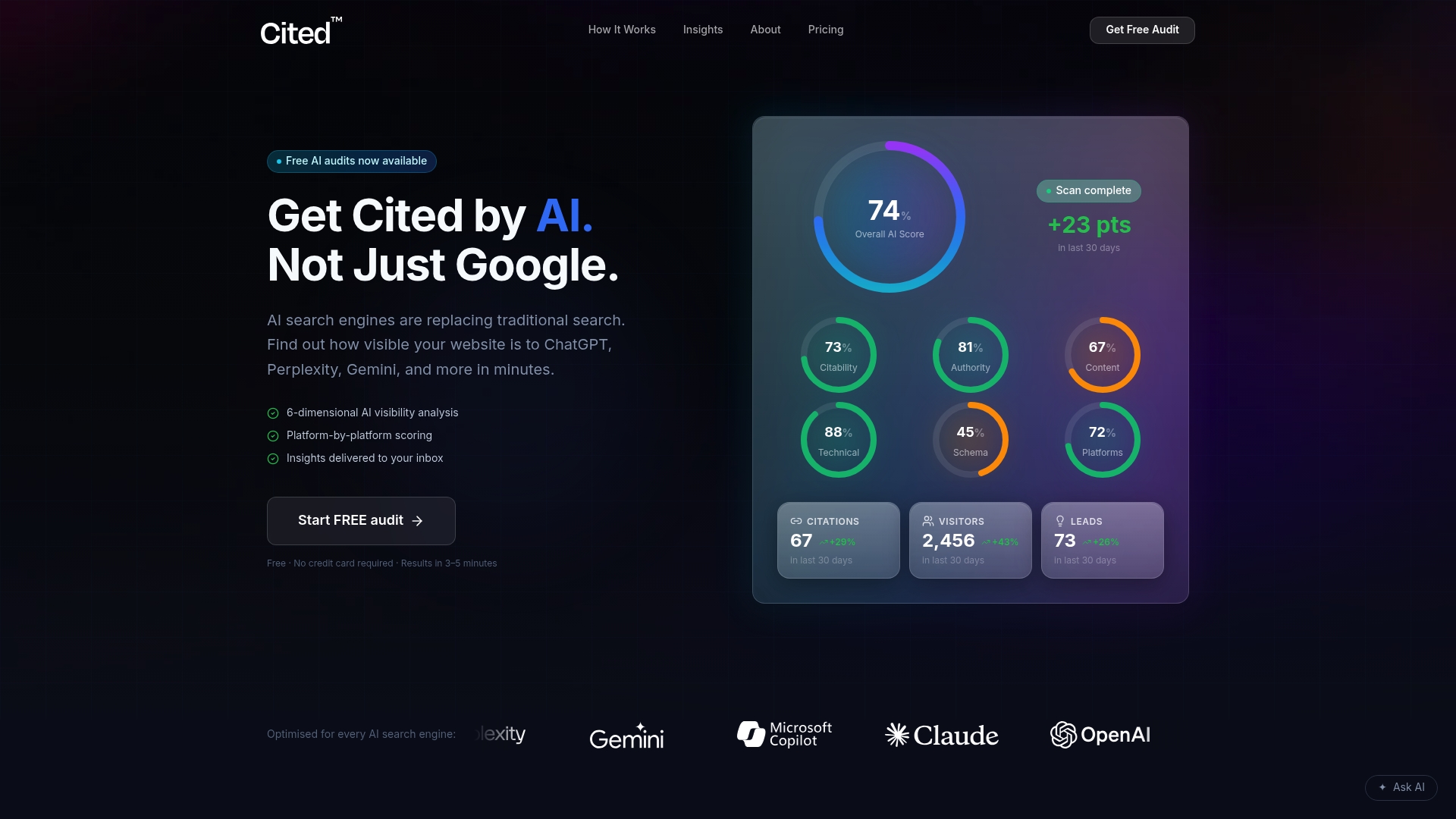
The audit covers six dimensions of AI citability, not just schema in isolation, so you see how markup issues interact with technical health, authority signals and platform coverage across ChatGPT, Perplexity, Gemini, Claude and Copilot. You can read how the scoring works before you commit to anything. From there, Cited offers two paid routes depending on how much support you need: Technical Fixes at a one-off £495 for teams that want the issues resolved directly, or the AI Optimised managed service at £995 a month for ongoing implementation and monitoring as your site grows. Larger publishers with multiple templates and CMS instances can get a custom enterprise quote.
If you'd rather talk through what your audit found before choosing a route, you can book a call directly. Start with the free audit; it takes minutes and tells you precisely which schema fields are costing you visibility right now.
Sources
Consult these directly rather than relying on second-hand summaries:
- Schema
- What data we expose as schema.org structured data
- Announcing the Schema.org usage statistics dataset
FAQ
What is article schema?
Article schema is structured data from Schema.org that marks a page as editorial content, giving search engines and AI systems machine-readable access to its headline, author, date and image.
What are the four types of schema relevant to articles?
For articles specifically, the three main subtypes are Article, NewsArticle and BlogPosting, with more specific variants like TechArticle available for technical tutorials; Article itself is the safe general-purpose default.
How should an article be structured for schema purposes?
Include headline, datePublished, author and image as a minimum, matching each field to the same CMS source as your visible content, and add dateModified and publisher for stronger freshness and trust signals.
What does article schema look like as an example?
A working example is a single JSON-LD script in the page head containing an Article object with headline, datePublished, a Person author with name and url, an Organisation publisher with a logo, and an ImageObject at least 1,200 pixels wide.
Why does my article schema not show rich results?
The most common causes are a headline that no longer matches your visible H1, an image under 1,200 pixels wide, an invalid date format, or two plugins both producing conflicting JSON-LD on the same page.
Recommended
Ready for your AI score?
See how visible your site is to ChatGPT, Perplexity & Gemini.
Start FREE auditResults in minutes · 100% free