
Product schema markup tells search engines your product's price, availability, and ratings so Google can display rich snippets in search results—increasing clicks from qualified buyers. You need at minimum a Product object with name, image, price, and currency to qualify, and you should validate it with Google's Rich Results Test before going live. Adding identifiers, ratings, and shipping data unlocks additional features like merchant listings and shopping carousels.
Product schema for ecommerce: what SEOs need to know
Product schema makes your product pages eligible for price, availability, and star-rating rich snippets in Google Search. The minimum you need is a Product object with name, image, and a nested offers block containing price and priceCurrency. Paste the snippet below, swap in your values, and test it immediately with Google's Rich Results Test.
```json
{
"@context": "https://schema.org",
"@type": "Product",
"name": "Classic Leather Wallet",
"image": "https://example.com/images/wallet.jpg",
"description": "Slim bifold wallet in full-grain leather.",
"offers": {
"@type": "Offer",
"the specified price"
"priceCurrency": "GBP",
"availability": "https://schema.org/InStock",
"url": "https://example.com/products/classic-leather-wallet"
}
}
```
That snippet is the floor for eligibility, not the ceiling. Once it validates, you can add identifiers, ratings, and shipping data to qualify for richer merchant experiences.
What this unlocks immediately:
- Product snippet with price and stock status in organic results
- Star ratings in search results when
aggregateRatingis present and visible on the page - Eligibility for Google's popular products carousel in Images
- Signals that feed Google Lens shopping experiences
Pro Tip: Wrap the JSON-LD in a <script type="application/ld+json"> tag and place it in the <head> of the page. Never inject it purely via JavaScript after page load; Google's crawler expects it in the initial server response.
***
Key takeaways
Correct, server-rendered Product JSON-LD with accurate offers data is the minimum requirement for product rich results; adding valid GTINs, aggregateRating, and shipping data progressively unlocks merchant-level features.
Point | Details |
|---|---|
Minimum viable markup | Include |
Identifiers unlock more | Valid GTINs (8, 12, 13, or 14 digits per GS1) are required for merchant listing features on branded products. |
Validate before and after | Use the Rich Results Test pre-launch and the Search Console Products report post-launch to catch errors. |
Platform defaults are incomplete | Shopify, WooCommerce, and Magento all require additional configuration to output GTINs, ratings, and shipping data. |
Cited audits schema for free | Cited's free audit at cited.best/audit identifies schema errors and prioritises fixes across all key product fields. |
***
Table of Contents
- What is product schema and why does it belong on every product page?
- Which markup format should you use: JSON-LD, microdata, or RDFa?
- Which Product properties must you include, and which ones matter most?
- What do validated JSON-LD templates look like in practice?
- How does Google use product structured data in Search?
- How do you test and monitor product structured data after deployment?
- What are the most common mistakes that disqualify product pages?
- How do you add product schema on Shopify, WooCommerce, and Magento?
- How long does product schema implementation take?
- How does Cited audit product schema in its free site audit?
- Why accuracy matters more than exhaustive markup
- Your product pages, audited for free
- Sources
- FAQ
What is product schema and why does it belong on every product page?
Product schema is a structured vocabulary, defined by the Schema.org Product type, that describes a product to search engines in machine-readable terms. You add it to a product page so that Google, Bing, and AI search engines can extract price, availability, brand, identifiers, and ratings without parsing your HTML.
Google uses that data to build richer search results. A plain blue link becomes a result that shows the specified price in GBP, "In stock", and four stars before the user even clicks. That additional context increases click-through rates and attracts buyers who are already at the decision stage.
The commercial case is direct:
- Product snippets show price and availability in organic results, reducing wasted clicks from users who would bounce on price.
- Star ratings from
aggregateRatingappear inline, adding social proof at the point of discovery. - Merchant listing experiences (popular products, shopping knowledge panels) require valid identifiers and offer data to trigger.
- Google Images surfaces shoppable product cards when schema and indexable images are present.
Three authoritative sources govern what you should implement. Schema.org defines the canonical Product type and every property it accepts. Google Search Central specifies which fields are required for eligibility and how markup must be delivered. GS1 provides the definitive rules for GTINs, the product identifiers that unlock merchant-level features.
***
Which markup format should you use: JSON-LD, microdata, or RDFa?
Use JSON-LD. Google recommends it, it sits in a single <script> block separate from your HTML, and it is far easier to generate server-side and keep synchronised with your product database than either microdata or RDFa.
Format | Maintenance | Dynamic sites | CMS compatibility | Google preference |
|---|---|---|---|---|
JSON-LD | Low, one script block | Easy to generate from templates | Excellent, works in | Recommended |
Microdata | High, inline with HTML | Difficult, markup tied to DOM | Moderate, requires template changes | Supported |
RDFa | High, inline with HTML | Difficult, markup tied to DOM | Moderate, verbose syntax | Supported |
Microdata and RDFa embed attributes directly into your HTML elements, which means every template change risks breaking your markup. On a large catalogue, that coupling becomes a maintenance liability. JSON-LD keeps the structured data entirely separate, so a developer can update pricing logic in one place without touching the markup layer.
Google's guidance is explicit: structured data must be present in the HTML returned by the server. A page that injects JSON-LD purely via client-side JavaScript after the initial response may not be processed correctly by Googlebot.
Pro Tip: Generate your JSON-LD server-side from the same product database that populates your visible page content. This is the single most reliable way to keep price, availability, and identifiers in sync between what users see and what Google reads.
***
Which Product properties must you include, and which ones matter most?
The mandatory floor for a product rich result is name, image, and an offers object containing price and priceCurrency. Add offers.url and ensure the values match what is visible on the page. Everything beyond that floor improves eligibility for richer experiences.
Required fields (block rich results if absent):
name: the product's visible titleimage: an indexable URL; Google requires at least one crawlable imageoffers.price: numeric value only, no currency symbolsoffers.priceCurrency: ISO 4217 code (GBP, EUR, USD)
Property | Category | Why it matters |
|---|---|---|
| Required | Core identifier for the product snippet |
| Required | Displayed in rich results and Images carousel |
| Required | Triggers price display in search results |
| Required | Validates currency; GBP for UK pages |
| Recommended | Full schema.org URL (e.g. |
| Recommended | Unlocks merchant listing features; required for branded goods |
| Recommended | Alternative identifier when GTIN is absent |
| Recommended | Improves product matching in knowledge panels |
| Recommended | Internal reference; useful for variant tracking |
| Recommended | Unlocks star ratings when visible on the page |
| Optional | Individual reviews; must match page-visible content |
| Recommended | Expected signal for merchant-style results since late 2025 |
| Recommended | Eligibility signal for merchant listing experiences |
| Optional | Links variant products back to a base product |
GS1 specifies that valid GTINs are numeric strings of 8, 12, 13, or 14 digits with a correct GS1 check digit. For most UK retail products, that means a 13-digit EAN. An invalid GTIN, such as one with the wrong check digit or an incorrect length, will not qualify a page for merchant listing features even if all other fields are present.

For handmade, bespoke, or unique items without a GTIN, use mpn (manufacturer part number) alongside brand. This combination gives Google enough to identify the product without a global trade identifier.
Since late 2025, Google has treated shipping and returns data as expected signals for merchant-like experiences, not optional extras. Add offers.shippingDetails and hasMerchantReturnPolicy to your markup, or supply the equivalent data through Search Console settings.
***
What do validated JSON-LD templates look like in practice?
Use the template that matches your page type. A simple product page needs the minimal template. A page with reviews needs aggregateRating. A page with multiple SKUs needs an offers array.
Template 1: simple product (minimum viable)
```json
{
"@context": "https://schema.org",
"@type": "Product",
"name": "Merino Wool Scarf",
"image": "https://example.com/images/merino-scarf.jpg",
"brand": { "@type": "Brand", "name": "NorthWool" },
"sku": "NW-SCARF-001",
"offers": {
"@type": "Offer",
"price": "the specified price",
"priceCurrency": "GBP",
"availability": "https://schema.org/InStock",
"url": "https://example.com/products/merino-scarf",
"priceValidUntil set to a date in the future
}
}
```
Template 2: product with aggregateRating
```json
{
"@context": "https://schema.org",
"@type": "Product",
"name": "Merino Wool Scarf",
"image": "https://example.com/images/merino-scarf.jpg",
"brand": { "@type": "Brand", "name": "NorthWool" },
"gtin13": "5901234123457",
"offers": {
"@type": "Offer",
"price": "the specified price",
"priceCurrency": "GBP",
"availability": "https://schema.org/InStock",
"url": "https://example.com/products/merino-scarf"
},
"aggregateRating": {
"@type": "AggregateRating",
"ratingValue": "4.7",
"a significant number of reviews
}
}
```
Template 3: multiple SKUs on one page (offers array)
```json
{
"@context": "https://schema.org",
"@type": "Product",
"name": "Merino Wool Scarf",
"image": "https://example.com/images/merino-scarf.jpg",
"brand": { "@type": "Brand", "name": "NorthWool" },
"offers": [
{
"@type": "Offer",
"name": "Navy — S/M",
"price": "the specified price",
"priceCurrency": "GBP",
"sku": "NW-SCARF-NVY-SM",
"availability": "https://schema.org/InStock"
},
{
"@type": "Offer",
"name": "Charcoal — L/XL",
"price": "the specified price",
"priceCurrency": "GBP",
"sku": "NW-SCARF-CHR-LXL",
"availability": "https://schema.org/OutOfStock"
}
]
}
```
Validation checklist before you publish:
- Visible price on the page matches
offers.priceexactly priceCurrencyuses an ISO 4217 code, not a symbolavailabilityuses the full schema.org URL, not a plain string like "In Stock"- Images resolve to a publicly accessible, indexable URL
aggregateRatingvalues match the rating widget visible on the page
For variants, the single-page offers array works well when all variants share one URL. When each variant has its own URL, give each page its own Product block and use isVariantOf to link back to the base product, as defined in the Schema.org Product specification.
Pro Tip: Set priceValidUntil to a date in the future. Google may suppress price display for offers where this field is absent or expired, particularly for merchant-style results.
***
How does Google use product structured data in Search?
Google uses Product and Offer data to create product snippets in organic results and to power merchant listing experiences when identifiers and fulfilment data are present. The two are distinct: a product snippet is an organic result enriched with price and availability; a merchant listing is a shopping-style experience that requires GTINs, shipping, and returns data.
Features that product schema influences:
- Product snippet: price, availability, and star ratings displayed beneath the blue link in organic results
- Price drop alerts: Google can notify users when a tracked product price falls
- Shopping knowledge panel: a rich panel summarising the product across multiple sellers
- Popular products in Images: shoppable cards in Google Images for eligible products
- Google Lens shopping: product identification and price comparison triggered by image search
Google Search Central sets clear eligibility rules. Structured data must be present in the HTML returned by the server. The Product object must contain a nested Offer object. Missing price or priceCurrency blocks rich results entirely. The values in markup must match what is visible on the page; a mismatch is treated as a policy violation.
Google's product structured data documentation states that for a product to be eligible for a product rich result, the page must include aProducttype with a nestedOffercontainingpriceandpriceCurrency. Pages that omit these fields, or where markup values differ from the visible page content, will not qualify for enhanced search features.
As noted in practical implementation guidance, aggregateRating unlocks star snippets only when the ratings are visible on the page. Marking up ratings that exist only in the structured data, with no corresponding visible widget, violates Google's policies.
***
How do you test and monitor product structured data after deployment?
Validate with Google's Rich Results Test and the Search Console Products enhancement report, then monitor impressions and click-through rate in Search Console after deployment. That two-stage process catches errors before they reach Google's index and surfaces drift after they do.
Pre-release testing checklist:
- Paste the page URL into the Rich Results Test and confirm it detects a
Producttype with no errors. - Use the "Test code" option to validate a snippet before the page is live.
- Check that the JSON-LD is present in the raw server response, not only in a browser-rendered view.
- Confirm
availabilityuses the full schema.org URL format. - Verify that
priceCurrencyis a valid ISO 4217 code. - Check that the image URL returns a 200 status and is not blocked by
robots.txt.
Post-deployment monitoring checklist:
- Open Search Console and navigate to Enhancements > Products to see detected items, warnings, and errors.
- Review the Index Coverage report for any pages where structured data is present but the page is not indexed.
- Check for manual action messages in the Manual Actions report, which can indicate policy violations.
- Schedule a monthly audit to check for price and availability drift, particularly after promotional periods or stock changes.
Google's structured data documentation identifies the Rich Results Test and the Search Console Products report as the primary validation and monitoring tools. For ongoing audits, JSON-LD generators and schema validators can help catch errors before they propagate across a large catalogue.
***
What are the most common mistakes that disqualify product pages?
The most common disqualifiers are mismatched visible content and markup, missing price or priceCurrency in the offers block, invalid availability values, and incorrect or absent identifiers. Each has a direct fix.
Errors and quick fixes:
- Price mismatch: the visible price differs from
offers.price. Fix: generate JSON-LD from the same data source that renders the visible price. - Missing
priceCurrency: the offers block contains a price but no currency code. Fix: add"priceCurrency": "GBP"(or the correct ISO 4217 code for the market). - Invalid
availability: using plain strings like"In Stock"instead of the full URL. Fix: replace with"https://schema.org/InStock"or"https://schema.org/OutOfStock". - Invalid GTIN: wrong digit count or incorrect check digit. Fix: validate against the GS1 check digit calculator before publishing.
- Client-side-only injection: JSON-LD added by JavaScript after page load. Fix: move generation server-side so it appears in the initial HTML response.
- Duplicate JSON-LD blocks: two
Productobjects on the same page with conflicting values. Fix: remove duplicates; oneProductblock per page. - Stale prices: markup not updated after a price change. Fix: tie JSON-LD generation directly to the product database, not a static template.
Practical audits confirm that stale prices, client-side-only injection, and missing GTINs for branded products are the top causes of product structured data failure.
On reviews: only mark up review and aggregateRating data that is visible on the page. Aggregated scores from third-party platforms that are not displayed to users, or review counts that differ from the visible widget, violate Google's policies and can trigger a manual action.
Pro Tip: Set up an automated test that fetches a sample of product pages nightly, extracts the JSON-LD price and availability, and compares them against your product database. Price drift after a sale ends is one of the most common causes of rich-result loss.
***
How do you add product schema on Shopify, WooCommerce, and Magento?
Each platform can emit Product JSON-LD, but the defaults are often incomplete. Confirm that GTINs, reviews, and shipping and returns data are present before considering the implementation finished.
Shopify
Shopify themes auto-generate basic Product schema from the product object, but the output typically covers only name, image, description, and a basic offers block. gtin, aggregateRating, and shippingDetails are absent from most default themes. You have two routes: edit the theme's product.liquid (or equivalent JSON template) to add the missing fields, or install an app that generates complete JSON-LD. Whichever route you choose, test that the output is server-rendered and not injected by the app's JavaScript after load.
WooCommerce
WooCommerce does not output Product schema by default. Plugins such as Yoast SEO, Rank Math, and Schema Pro generate JSON-LD from WooCommerce product data, but you should verify that priceCurrency maps correctly to the store's currency setting, that availability uses the full schema.org URL, and that sku pulls from the product's SKU field rather than the post ID. For stores with custom product types or composite products, server-side generation from a custom plugin is often more reliable than a general-purpose schema plugin.
Magento
Magento's large catalogues make server-side generation from the product database the practical requirement, not just a recommendation. Generating dynamic JSON-LD from Magento's product repository ensures that price, stock status, and identifiers stay synchronised with inventory. The key risk is variant handling: configurable products in Magento can have dozens of child SKUs, each with its own price and stock level. Test that the JSON-LD on a configurable product page reflects the correct base price and that child-product pages carry their own Product blocks with accurate offers data.
Across all platforms: avoid client-side-only injection, test representative variant patterns, and confirm that gtin values pass GS1 check digit validation before deploying to the full catalogue.

***
How long does product schema implementation take?
A small catalogue can implement validated Product JSON-LD in one to two days. A large enterprise catalogue requires automation, testing, and a phased rollout measured in weeks.
Rollout checklist:
- Implement and validate on a staging environment using the Rich Results Test.
- Deploy to a sample of 10–20 live pages across different product categories.
- Submit the sample URLs for indexing via Search Console's URL Inspection tool.
- Monitor the Search Console Products enhancement report for errors over 7–14 days.
- Resolve any errors before expanding to the full catalogue.
- Roll out to the full catalogue in batches, monitoring after each batch.
- Set up automated price and availability drift checks.
Starting with bestsellers is the most effective phased approach. These pages already attract the most traffic, so any CTR uplift from rich snippets is measurable quickly, and errors on high-traffic pages are caught before they affect the broader catalogue. A lightweight rollout strategy that samples live pages for monitoring reduces the risk of broken snippets and provides measurable uplift early.
***
How does Cited audit product schema in its free site audit?
Cited checks schema presence, visible/markup parity, identifier completeness, offers consistency, review authenticity, and shipping and returns coverage. The free audit produces a prioritised issues list with suggested fixes, so you know exactly what to address first.
What the Cited audit inspects:
Producttype present in server-rendered HTMLoffersblock containsprice,priceCurrency, andavailabilityavailabilityuses the full schema.org URL formatgtinormpnpresent for branded productsaggregateRatingvalues match the visible rating widgetshippingDetailsandhasMerchantReturnPolicypresentpriceValidUntilset to a future date- No duplicate
Productblocks on the same page - Markup values match visible page content (parity check)
The audit covers schema as one of six dimensions of AI citability that Cited measures, alongside technical health, authority, and platform coverage. You can read more about how Cited measures AI visibility and what each dimension covers.
After the free audit, Cited offers a Technical Fixes package (£495 one-off) to implement the identified fixes, and an AI Optimised subscription (£995/month) for ongoing optimisation and monitoring. Enterprise projects are scoped and priced on request.
***
Why accuracy matters more than exhaustive markup
The most common mistake in product schema implementation is prioritising completeness over correctness. A product page with 20 properties, half of which are stale or mismatched, performs worse in Search than a page with six accurate, synchronised fields.
The practical trade-off most teams face is automation versus per-product finesse. For a catalogue of 10,000 SKUs, you cannot manually verify every field. The answer is not to skip fields but to build generation pipelines that pull authoritative values from the product database, so accuracy is structural rather than editorial.
GTINs deserve specific attention. Many teams add a gtin field to their schema template and populate it from whatever identifier field exists in their CMS, without validating the check digit. An invalid GTIN does not just fail to help; it can actively suppress merchant listing eligibility. The GS1 check digit specification is the definitive reference, and validation should be part of the data pipeline, not a manual QA step.
Search Console data is the most underused tool in schema optimisation. The Products enhancement report tells you which pages have errors, which have warnings, and which are valid. Most teams check it once after deployment and never return. A monthly review of that report, cross-referenced with impressions data from the Performance tab, shows exactly which product categories are gaining or losing rich-result coverage, and that data should drive the next round of fixes.
The connection between schema accuracy and AI citation likelihood is also worth noting. AI search engines such as Perplexity and ChatGPT increasingly draw on structured, machine-readable product data when constructing answers about products. Accurate schema is not only a Google Search signal; it is a foundation for AI visibility.
***
Your product pages, audited for free
Schema errors are silent. A missing priceCurrency, a stale price, or a client-side-injected JSON-LD block will not throw a visible error on your site; they simply cost you rich snippets and merchant listing eligibility, day after day.
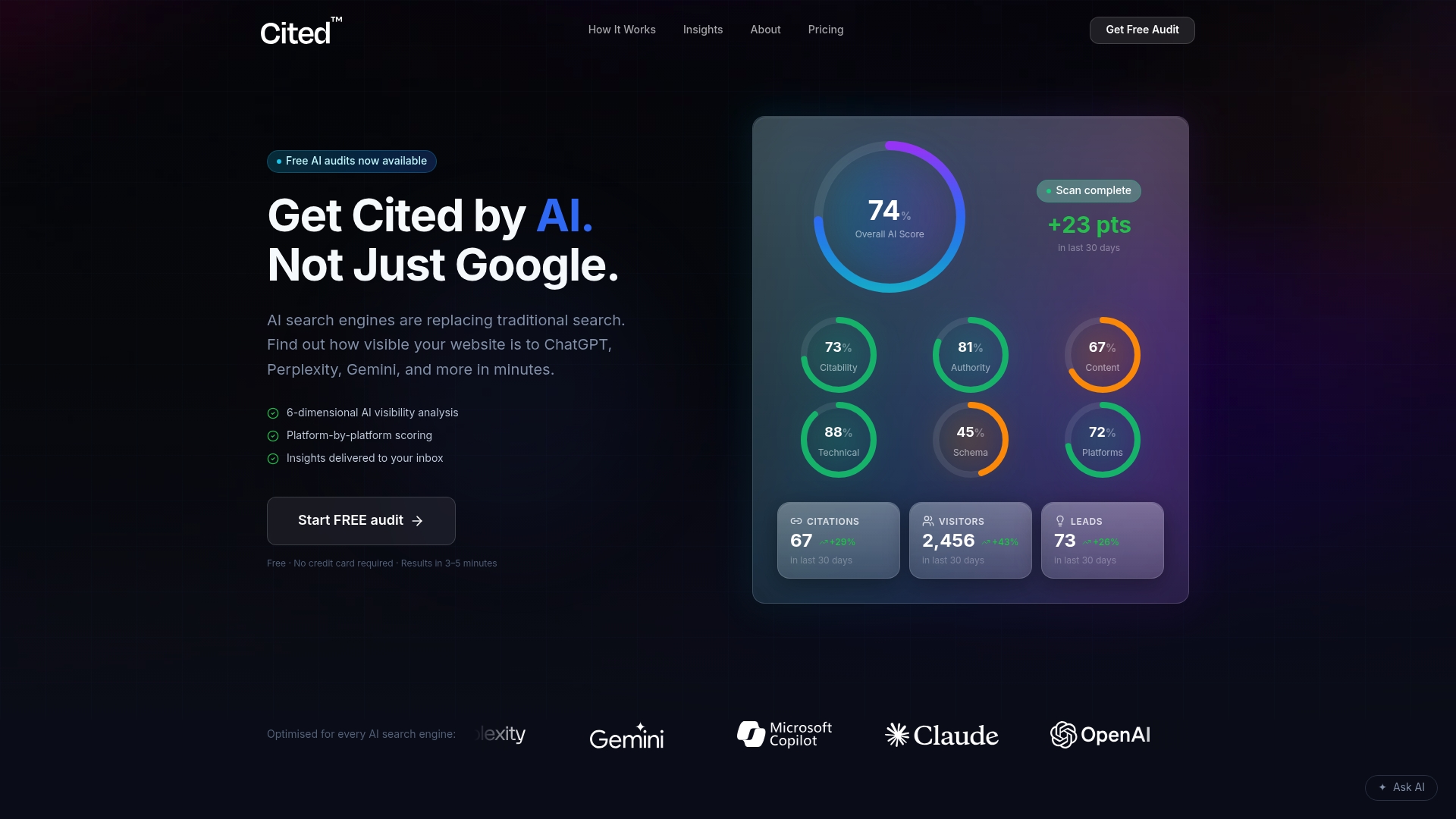
Cited's free audit checks your product pages against the full set of schema signals: presence, parity, identifier completeness, offers consistency, and shipping and returns coverage. You receive a prioritised issues list and specific fixes, not a generic report. For teams ready to act on the findings, the Technical Fixes package (£495 one-off) covers implementation, and the AI Optimised subscription (£995/month) keeps your schema accurate as your catalogue changes.
Run your free AI visibility audit at cited.best/audit and see exactly which schema issues are costing you visibility today.
***
Sources
The authoritative references for product schema implementation and validation:
***
FAQ
What is product schema?
Product schema is structured data based on the Schema.org Product type that describes a product's name, price, availability, and identifiers to search engines in machine-readable JSON-LD. It makes product pages eligible for rich results including price, star ratings, and stock status in Google Search.
Can you give an example of product schema markup?
The minimum example is a Product object with name, image, and a nested offers block containing price, priceCurrency, and availability. The ready-to-copy template at the top of this article meets Google's minimum requirements and passes the Rich Results Test.
What does schema mean in a marketing context?
In marketing, schema refers to structured data vocabulary added to web pages so that search engines and AI platforms can understand and display page content more accurately. For ecommerce, product schema specifically enables price, availability, and rating information to appear directly in search results, increasing visibility and qualified traffic.
Do Shopify and WooCommerce generate product schema automatically?
Shopify themes generate basic Product schema, but typically omit GTINs, aggregateRating, and shippingDetails. WooCommerce does not output Product schema by default; a plugin such as Yoast SEO or Rank Math is required. Both platforms need additional configuration to meet Google's full eligibility requirements for merchant listing features.
How do you check whether product schema is working?
Paste the page URL into Google's Rich Results Test to confirm the Product type is detected without errors. After deployment, monitor the Enhancements > Products section in Google Search Console for warnings, errors, and valid item counts.
Recommended
Ready for your AI score?
See how visible your site is to ChatGPT, Perplexity & Gemini.
Start FREE auditResults in minutes · 100% free