
A dataset schema is the structural blueprint that defines what fields exist in your data, what types they are, and how they relate to each other—but it doesn't contain the actual data rows. Choosing the right schema format (SQL for databases, JSON Schema for APIs, Avro for streaming) and automating validation checks in your pipeline prevents integration errors and keeps downstream teams aligned. Publishing your schema metadata using standard formats like Schema.org makes your dataset discoverable by search engines and AI systems.
Dataset schema: a practical guide for data professionals
A dataset schema is the structural blueprint that defines the fields, types, constraints, relationships, and metadata for a dataset. It describes how data is organised and accessed, not the rows of data themselves. Related standards include Schema for dataset discovery, JSON Schema for contract validation, and DCAT for catalogue interoperability.
Three immediate next steps:
- Pick your schema level: decide whether you need a conceptual model (business entities), a logical model (attributes and relationships), or a physical model (platform-specific types and tables).
- Choose a serialisation: SQL DDL for relational stores, JSON Schema for API and pipeline contracts, Avro or Parquet for streaming and analytics workloads.
- Add validation and metadata: wire schema checks into your CI pipeline and publish Schema.org or DCAT metadata so your dataset is discoverable by search engines and AI systems.
Concrete examples, tooling recommendations, and publishing guidance follow in each section below.
***
Key takeaways
A dataset schema describes structure and metadata, not data rows; choosing the right schema level and serialisation, then automating validation, is the fastest path to reliable, discoverable datasets.
Point | Details |
|---|---|
A schema defines fields, types, constraints, and metadata; it does not contain the dataset rows themselves. | |
Match schema level to your audience | Use conceptual models for business sign-off, logical models for architecture, and physical models for platform implementation. |
Automate validation in CI | Wire JSON Schema, Avro, or Great Expectations checks into your CI pipeline to catch regressions before they reach consumers. |
Publish Schema.org metadata | Add a JSON-LD Dataset block with |
Cited's free AI visibility audit checks schema markup, structured data completeness, and technical health affecting AI citation. |
***
Table of Contents
- What is a dataset schema, and why does it matter?
- How do conceptual, logical, and physical schemas differ?
- What does a dataset schema actually contain?
- What do working schema examples look like?
- How should you design a dataset schema well?
- Which tools validate schemas and enforce them in CI?
- How do you publish dataset metadata for discovery?
- How do you handle schema evolution without breaking consumers?
- What does the research say about schema quality and AI systems?
- An implementer's checklist for authoring and publishing a schema
- Your dataset metadata, audited for AI visibility
- Sources
- FAQ
What is a dataset schema, and why does it matter?
A dataset schema is a structural blueprint that defines the organisation, relationships, and constraints applied to data within a database or information system. The schema describes the framework for storage and access. It does not contain the data itself.
The distinction matters in practice. A schema tells a consumer what fields exist, what types they carry, which are required, and how records relate to one another. Without that contract, every downstream team must reverse-engineer the structure from sample rows, which introduces errors and slows analysis. Clear schemas reduce integration friction because producers and consumers agree on the contract before data moves.
The concept has a long heritage. The ANSI/X3/SPARC three-schema approach, developed in the 1970s, separated user views, enterprise conceptual models, and physical storage models. That separation remains the conceptual foundation for modern data modelling frameworks, from data warehouse design to cloud-native catalogue governance.
***
How do conceptual, logical, and physical schemas differ?
Data modelling commonly follows a three-schema approach: conceptual models define business entities, logical models specify attributes and relationships independent of technology, and physical models include platform-specific implementation details such as tables, indexes, and datatypes.
Schema level | One-line definition | Typical artefacts | Primary audience |
|---|---|---|---|
Conceptual | Business entities and their relationships | ER diagrams, domain glossary | Business analysts, product owners |
Logical | Attributes, data types, keys, relationships | Normalised table definitions, UML class diagrams | Data architects, senior engineers |
Physical | Platform-specific tables, column types, indexes, partitions | SQL DDL, BigQuery schema JSON, Avro | Data engineers, DBAs |
A practical mapping: the business concept "Customer" becomes a logical entity with attributes customer_id (integer), email (string, unique), and created_at (timestamp with timezone). In BigQuery, that translates to customer_id INT64 NOT NULL, email STRING NOT NULL, and created_at TIMESTAMP NOT NULL. ThoughtSpot notes that teams often conflate purpose and implementation, meaning the conceptual model must satisfy business needs before physical decisions like indexes or column types are chosen.
***
What does a dataset schema actually contain?
A complete schema covers more than field names and types. For validation and discovery, it needs both structural and metadata elements.
Structural elements:
- Field names or JSON paths, with consistent naming conventions (snake_case or camelCase, applied uniformly)
- Data types: string, integer, float, boolean, date, timestamp, array, object, or platform-specific equivalents
- Nullability: explicit
requiredornullableflags for every field, never left implicit - Units and enumerations: physical units (metres, kilograms, GBP) and allowed values for categorical fields
- Primary keys, foreign keys, and uniqueness constraints
- Relationships and cardinality between entities
- Nested or repeated structures for semi-structured formats such as JSON or Avro
Metadata and governance elements:
- Provenance: source system, extraction method, and pipeline version
- Creator, publisher, and licence (e.g. Open Government Licence v3.0)
- Temporal coverage (
startDate/endDate) and spatial coverage (country, region, bounding box) - Schema version and change log
- Distribution links: file URLs,
encodingFormat(CSV, Parquet, JSON), andcontentSize
DataHub represents schemas as arrays of fields with field paths and metadata, and emphasises synchronisation between technical field definitions and editable catalogue metadata. When those two fall out of step, observability failures follow.
***
What do working schema examples look like?
The examples below cover the four most common artefacts. Each is minimal and copyable.
JSON Schema for a flat record
```json
{
"$schema": "https://json-schema.org/draft/2020-12/schema",
"title": "SalesOrder",
"type": "object",
"required": ["order_id", "customer_id", "order_date", "amount_gbp"],
"properties": {
"order_id": { "type": "integer" },
"customer_id": { "type": "integer" },
"order_date": { "type": "string", "format": "date" },
"amount_gbp": { "type": "number", "minimum": 0 },
"status": { "type": "string", "enum": ["pending","confirmed","shipped","cancelled"] }
},
"additionalProperties": false
}
```
JSON Schema is the standard serialisation for API and pipeline contracts. The required array and additionalProperties: false together enforce a strict contract.
SQL DDL (BigQuery / PostgreSQL style)
```sql
CREATE TABLE sales.orders (
order_id INT64 NOT NULL,
customer_id INT64 NOT NULL,
order_date DATE NOT NULL,
amount_gbp NUMERIC(12,2) NOT NULL,
status STRING,
CONSTRAINT pk_orders PRIMARY KEY (order_id) NOT ENFORCED
);
```
BigQuery uses INT64, NUMERIC, and STRING rather than PostgreSQL's INTEGER, DECIMAL, and VARCHAR. Note the NOT ENFORCED qualifier on the primary key, which is BigQuery-specific.
Avro and Parquet
Apache Avro stores the schema as a JSON .avsc file alongside the binary payload, making it self-describing. Parquet is a columnar format suited to analytics; its schema is embedded in the file footer. Choose Avro for streaming pipelines (Kafka, Confluent) where schema evolution and row-level serialisation matter. Choose Parquet for analytical stores (BigQuery, Spark, Athena) where columnar compression and predicate pushdown improve query performance.
Schema.org JSON-LD for a dataset landing page
```json
{
"@context": "https://schema.org/",
"@type": "Dataset",
"name": "UK Sales Orders 2024",
"description": "Monthly sales order records for UK customers, January–December 2024.",
"url": "https://example.com/datasets/uk-sales-orders-2024",
"license": "https://www.nationalarchives.gov.uk/doc/open-government-licence/version/3/",
"creator": { "@type": "Organization", "name": "Example Ltd" },
"temporalCoverage": "2024-01/2024-12",
"distribution": [
{
"@type": "DataDownload",
"encodingFormat": "text/csv",
"contentUrl": "https://example.com/datasets/uk-sales-orders-2024.csv"
},
{
"@type": "DataDownload",
"encodingFormat": "application/x-parquet",
"contentUrl": "https://example.com/datasets/uk-sales-orders-2024.parquet"
}
]
}
```
Schema.org defines a Dataset type with properties including distribution, variableMeasured, and temporalCoverage, and supplies JSON-LD examples for dataset landing pages. The snippet above covers the minimum required properties for Google Dataset Search eligibility.
***
How should you design a dataset schema well?
Good schema design starts from the business use case, not from the source system's table structure. The most common design mistakes are preventable with a short set of rules.
Naming and types:
- Use a single naming convention throughout: snake_case for SQL and Avro, camelCase for JSON Schema. Never mix them within one schema.
- Prefer explicit, narrow types. Use
DATEfor calendar dates andTIMESTAMP WITH TIME ZONEfor instants. Storing timestamps as plain strings is a frequent source of timezone bugs. - Always store timestamps in UTC and record the timezone explicitly. Convert to local time at the presentation layer, not in the schema.
- Attach physical units to numeric field names or descriptions:
distance_metres,price_gbp,weight_kg. A field namedamountis ambiguous;amount_gbpis not.
Nullability and enumerations:
- Make every field explicitly nullable or required. Implicit nullability leads to consumers writing defensive code that masks data quality issues.
- Document every enumeration. If
statuscan bepending,confirmed,shipped, orcancelled, list those values in the schema and reject anything else at ingestion.
Governance:
- Assign a schema owner for every dataset. Ownership determines who approves changes and who notifies consumers.
- Adopt a versioning policy before the first release: semantic versioning (
MAJOR.MINOR.PATCH) works well, where a major increment signals a breaking change. - Require a change approval gate for breaking changes. Non-breaking additions (new optional fields) can follow a lighter review.
Pro Tip: Store your canonical timestamp field as event_at TIMESTAMP WITH TIME ZONE NOT NULL and document the UTC assumption in the schema description. Consumers who need London time apply AT TIME ZONE 'Europe/London' at query time. This prevents silent data corruption when clocks change.
Schema monitoring pairs schema contracts with lineage, volume, freshness, and distribution to maintain reliable systems. Schema changes are a leading source of analytic regressions, so governance rules and a clear change process are not optional extras.

***
Which tools validate schemas and enforce them in CI?
Validation belongs in the pipeline, not in a post-hoc audit. The workflow below moves from authoring to production in five ordered steps.
- Author the schema in your chosen format (JSON Schema, Avro
.avsc, SQL DDL, or Protobuf.proto). - Test locally using the format's own validator:
ajvfor JSON Schema,avro-toolsfor Avro,buf lintfor Protobuf. - Run contract tests in CI using Great Expectations or dbt tests to assert field presence, type conformance, and value ranges against a sample dataset on every pull request.
- Gate pre-production with a schema registry compatibility check. Confluent Schema Registry supports
BACKWARD,FORWARD, andFULLcompatibility modes; set the mode to match your consumer tolerance before merging. - Deploy and monitor with schema observability tooling. Alert on unexpected field additions, type changes, or null-rate spikes.
Key tools by use case:
- JSON Schema with
ajvorjsonschema(Python): API and pipeline contract validation - Apache Avro with Confluent Schema Registry: streaming pipelines on Kafka
- Protobuf with
buf: gRPC services and cross-language serialisation - Great Expectations: data quality assertions in batch and streaming pipelines
- BigQuery schema checks:
bq show --schemaand Terraformgoogle_bigquery_tableresource for infrastructure-as-code schema enforcement
Pro Tip: Add a schema-check step to your GitHub Actions or GitLab CI pipeline that runs ajv validate or buf breaking on every PR. A five-minute CI gate catches breaking changes before they reach consumers.
***
How do you publish dataset metadata for discovery?
Publishing a dataset landing page with structured data is the mechanism by which Google Dataset Search, AI search engines, and data catalogues discover your dataset. Practical guides recommend a dataset landing page per dataset, including name and description, and adding distribution entries with encodingFormat and contentUrl for each file.
Required properties for Google Dataset Search eligibility:
name: a short, descriptive titledescription: at least one sentence describing the dataset's content and scope
Strongly recommended properties:
distribution: oneDataDownloadentry per file format, each withencodingFormatandcontentUrllicense: a URL pointing to the licence text (e.g. the Open Government Licence)temporalCoverage: ISO 8601 interval string (e.g.2024-01/2024-12)spatialCoverage: aPlaceorGeoShapedescribing the geographic scopevariableMeasured: the variables or columns the dataset measurescreatorandpublisher:OrganizationorPersonentities
Operational checklist:
- Update
dateModifiedevery time the underlying data changes. - Submit a sitemap that includes dataset landing page URLs to Google Search Console.
- Validate your JSON-LD at validator.schema.org before publishing.
- Provide multiple distribution formats (CSV, JSON, Parquet) where possible, as guides advise including
contentSizeandencodingFormatto improve discoverability.
Understanding how schema markup affects AI citation rates is covered in detail in Cited's Insights article on schema markup and AI search citations.
***
How do you handle schema evolution without breaking consumers?
Schema changes are inevitable. The question is whether a change is breaking or non-breaking, and how to communicate it.
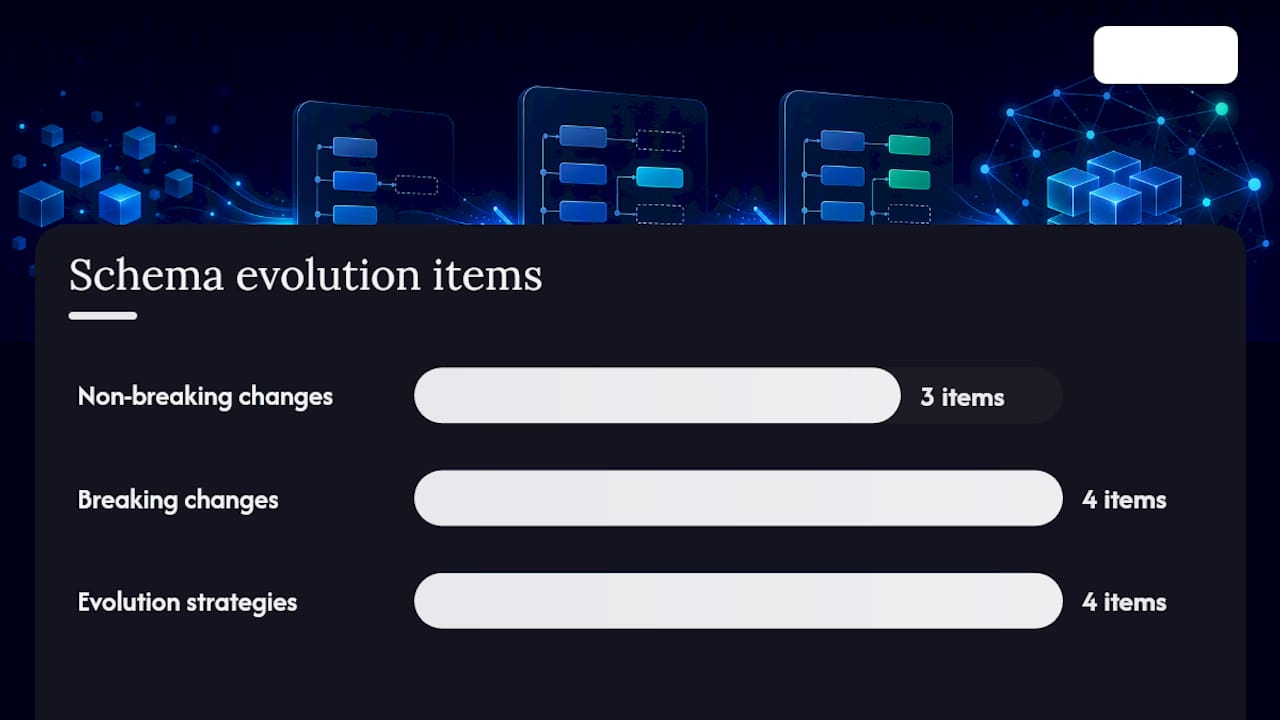
Non-breaking changes (safe to deploy without a major version increment):
- Adding an optional field with a default value
- Adding a new enumeration value (if consumers use tolerant readers)
- Widening a numeric type (e.g.
INT32toINT64)
Breaking changes (require a major version increment and consumer notification):
- Renaming a field
- Changing a field's type (e.g.
stringtointeger) - Removing a field
- Making a previously optional field required
Evolution strategies:
- Strict versioning: publish
v1,v2as separate schema identifiers. Consumers pin to a version; producers maintain both until consumers migrate. - Tolerant reader pattern: consumers ignore unknown fields and apply defaults for missing ones. This allows producers to add fields without coordinating every consumer.
- Feature flags: gate new fields behind a flag in the pipeline configuration until all consumers are ready.
- Deprecation schedules: mark fields as deprecated in the schema description, set a removal date, and notify consumers via a data contract or changelog.
Consumer contract tests, run in CI against the producer's schema, catch breaking changes before they reach production. A single source of truth for data governance makes deprecation schedules and consumer notifications far easier to manage across distributed teams.
***
What does the research say about schema quality and AI systems?
Databricks states that clarity in schema design is fundamental to governing how data is consumed, enabling consistent access across distributed database systems. That finding applies directly to AI pipelines: a language model or retrieval system that ingests a dataset with ambiguous types, missing field descriptions, or no licence metadata cannot reliably attribute or cite that data.
ThoughtSpot highlights that teams often conflate purpose and implementation, meaning the conceptual model must satisfy business needs before physical decisions like indexes or types are chosen. Skipping the conceptual step produces physical schemas that are technically correct but misaligned with how analysts actually query the data.
For organisations publishing datasets publicly, schema quality has a direct effect on AI citation rates. AI search engines such as ChatGPT, Perplexity, and Google's AI Overviews surface datasets that carry complete Schema.org metadata, clear licences, and structured distribution entries. A dataset with no JSON-LD markup is effectively invisible to those systems.
Run a free AI visibility audit at cited.best/audit to see whether your dataset pages carry the structured data and metadata completeness that AI search engines require.
***
An implementer's checklist for authoring and publishing a schema
The steps below apply whether you are authoring a schema from scratch or updating an existing one.
- Confirm the use case. Identify the consumers, their query patterns, and the governance requirements before writing a single field definition.
- Author the conceptual model. Name the business entities and their relationships in plain language or an ER diagram. Get sign-off from the business owner.
- Translate to a logical model. Define attributes, data types, keys, and relationships independent of any platform.
- Produce the physical artefact. Write the SQL DDL, JSON Schema, or Avro
.avscfile for your target platform. For enterprise data platforms, Microsoft Fabric consulting teams typically handle the translation from logical to physical for complex warehouse schemas. - Write contract tests. Use Great Expectations or dbt tests to assert type conformance, nullability, and value ranges. Commit these tests alongside the schema definition.
- Publish metadata. Add a Schema.org JSON-LD block to the dataset landing page. Synchronise the field descriptions in your data catalogue (DataHub, Collibra, or similar) with the physical schema.
- Notify consumers. Send a changelog entry to downstream teams. For breaking changes, agree a migration window before deploying.
Synchronising schema metadata with platform schemas and catalogue entries is the step most teams skip. When the catalogue description diverges from the physical schema, observability alerts fire on false positives and analysts lose trust in the data.
Run the free AI visibility audit at cited.best/audit to check whether your dataset landing pages carry the structured data that AI search engines and data catalogues need to surface your work.
***
Your dataset metadata, audited for AI visibility
Schema markup and structured dataset metadata are two of the six dimensions Cited measures in its free AI visibility audit. If your dataset pages lack JSON-LD, carry incomplete distribution entries, or miss a license property, AI search engines cannot reliably cite them.
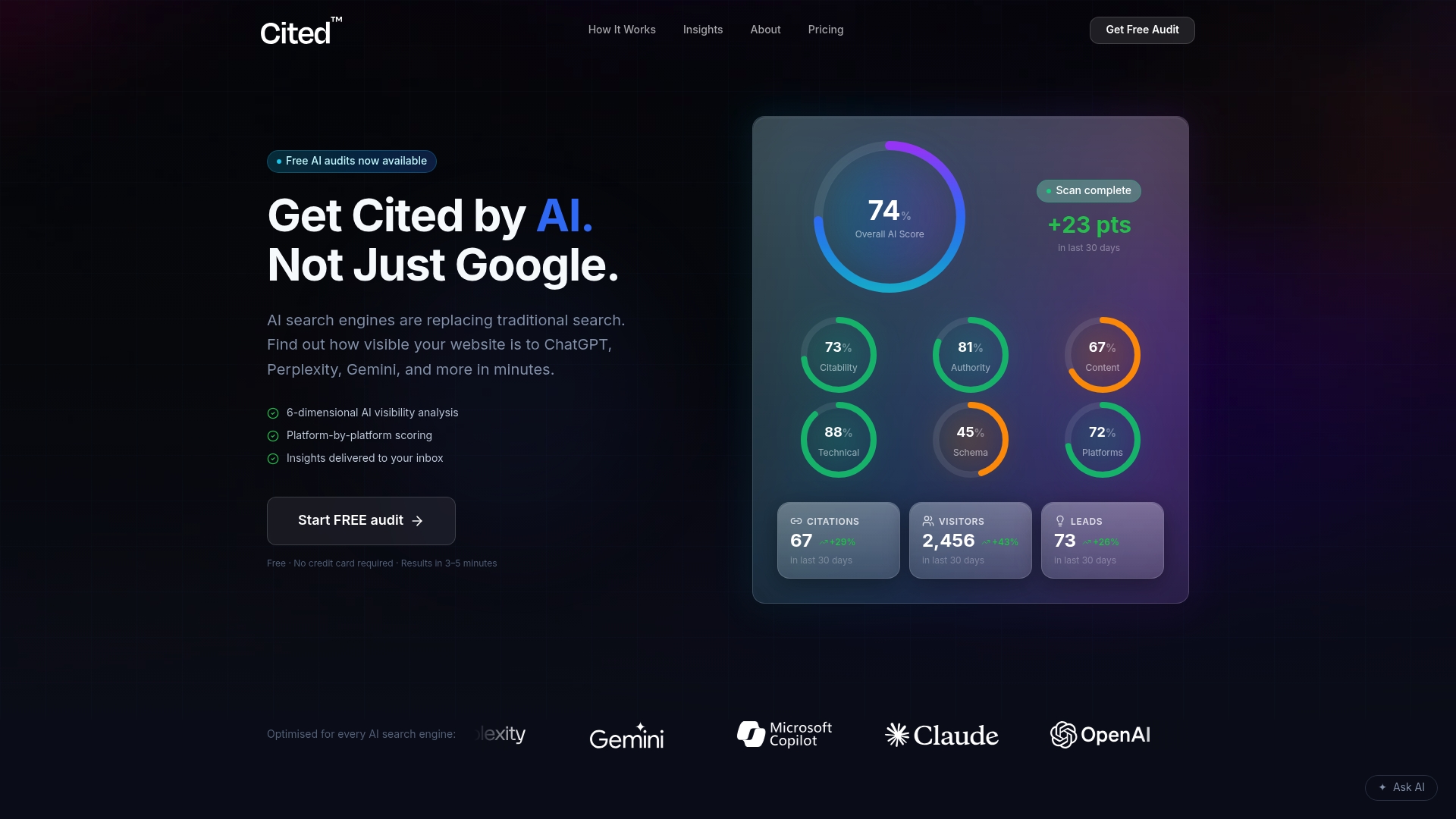
Cited audits your site across schema markup, technical health, authority signals, and platform coverage, then implements the fixes that move your AI citation score. The Technical Fixes package costs £495 as a one-off; the AI Optimised managed service runs at £995 per month. Enterprise projects are scoped and priced separately.
Start with a free audit at Cited to see exactly where your dataset metadata falls short, or review how Cited measures AI visibility to understand the scoring methodology before you begin.
***
Sources
The specifications below are the canonical references for the concepts and examples in this article. A practical reading order: start with the JSON Schema and Schema.org Dataset pages for implementation, then consult DCAT and the ANSI/X3/SPARC background for governance and catalogue interoperability.
- What is a schema? | Definition from TechTarget
- Conceptual vs logical vs physical data models | ThoughtSpot
- Schema
- JSON Schema
***
FAQ
What is a dataset schema?
A dataset schema is a structural blueprint that defines the fields, data types, constraints, relationships, and metadata for a dataset. It describes how data is organised and accessed, not the data rows themselves.
What is the difference between a schema and a database?
One database can contain multiple schemas.
What are the three types of data schema?
The three types follow the ANSI/X3/SPARC model: conceptual schemas define business entities, logical schemas specify attributes and relationships independent of technology, and physical schemas contain platform-specific implementation details such as column types and indexes.
What is an example of a dataset schema?
A JSON Schema file that defines a SalesOrder object with required fields order_id (integer), order_date (date string), and amount_gbp (number) is a dataset schema. A SQL CREATE TABLE statement for the same record, or a Schema.org JSON-LD Dataset block on a landing page, are also dataset schemas at different levels.
How does a dataset schema improve AI discoverability?
Publishing a Schema.org Dataset JSON-LD block with name, description, distribution, and license properties allows AI search engines such as Google's AI Overviews, ChatGPT, and Perplexity to identify, attribute, and cite your dataset. Missing or incomplete structured data makes the dataset effectively invisible to those systems.
Recommended
Ready for your AI score?
See how visible your site is to ChatGPT, Perplexity & Gemini.
Start FREE auditResults in minutes · 100% free